The control unit sends the weather data to your smart home or to other programs via the controllers. Three controllers are prepared in the image. All of them are switched off by default:
- Controller 1: MQTT, for example for Loxone with LoxBerry, Home Assistant or ioBroker. It can also be switched to UDP or HTTP.
- Controller 2: ESPEasy P2P for connecting several control units, see 7. Decentralised Setup.
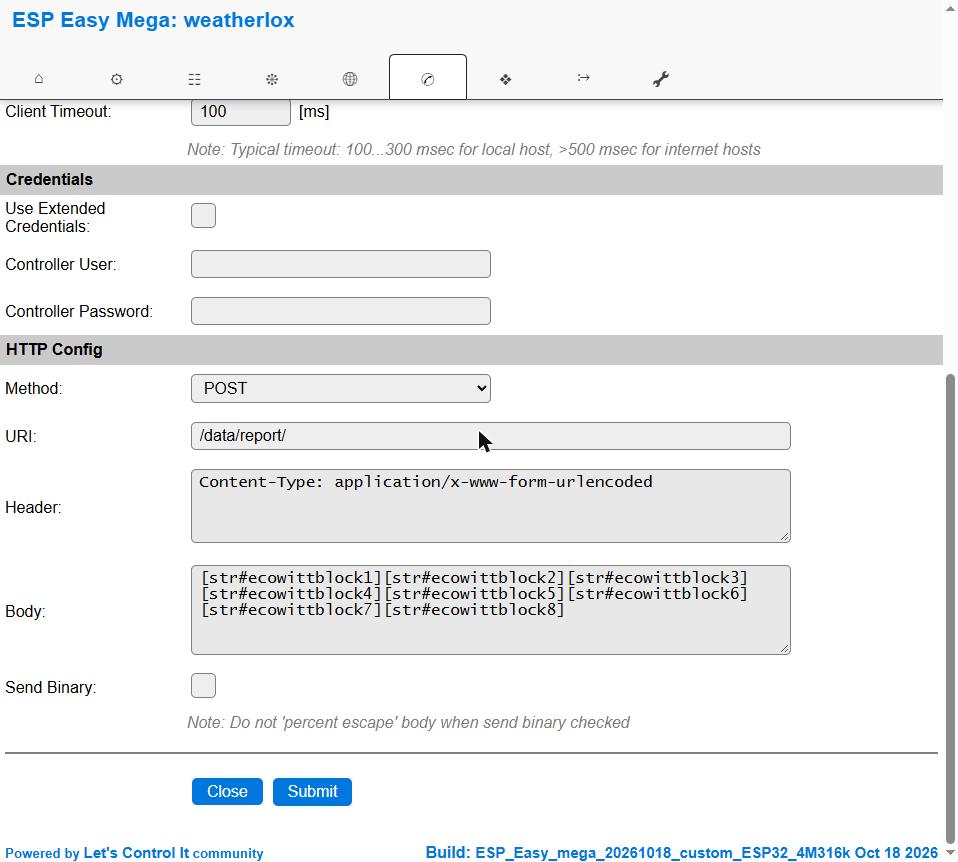
- Controller 3: Output in Ecowitt format, for example for FOSHKplugin.
Open the Controllers tab and click on Edit for the desired controller. Check Enabled, enter the address of the receiver and click on Submit at the bottom.
The control unit sends around 60 values every 5 seconds. Therefore leave the defaults under Controller Queue unchanged (Minimum Send Interval 10 ms, Max Queue Depth 30). With the ESPEasy default values, values get lost. If a setting is not applied, read the note on saving in 2. Basic Configuration.
Controller 1: MQTT (recommended)
MQTT is preset and the recommended way. You need an MQTT broker for it, for example Mosquitto on the LoxBerry or in Home Assistant. Enter the broker under Controller IP and Controller Port (usually 1883) and the user and password for the broker under Credentials.
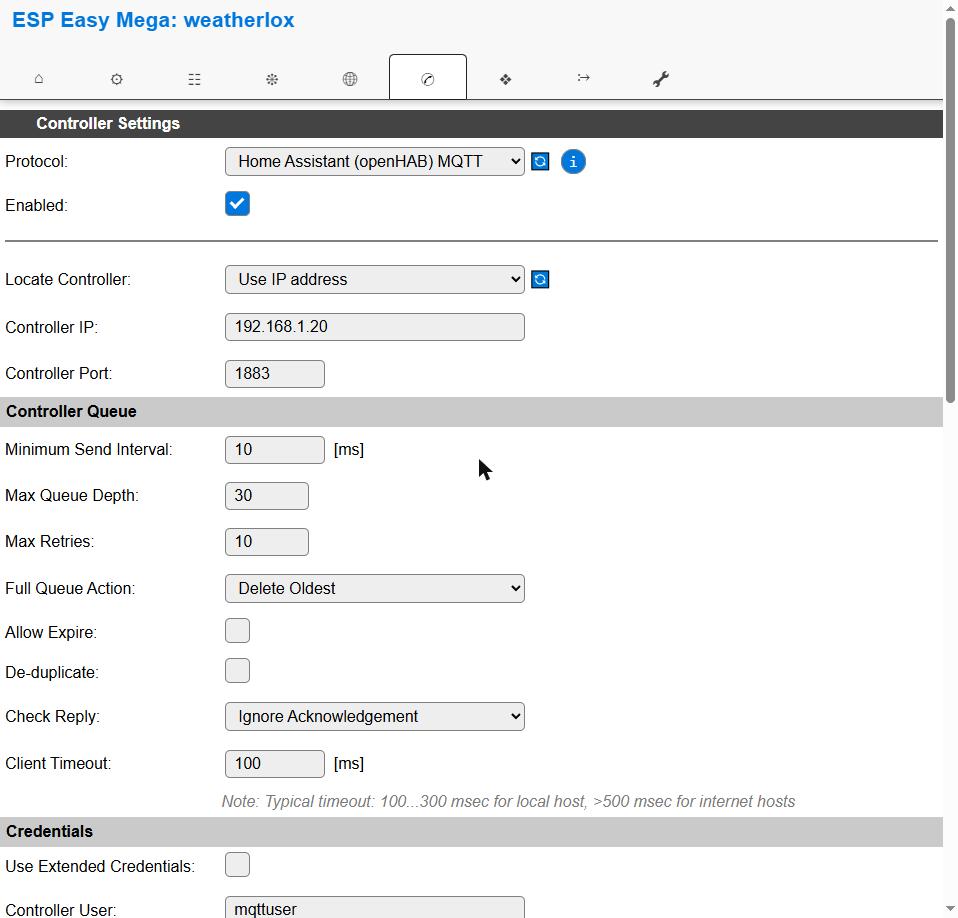
Each value is published under its own topic weatherlox/data/<value name>, for example weatherlox/data/temperature. Whether the control unit is running is shown by weatherlox/status with running or stopped. weatherlox is the device name, which you can change in the Config tab under Unit Name. You can find the value names in the build instructions under “Available measured values”.
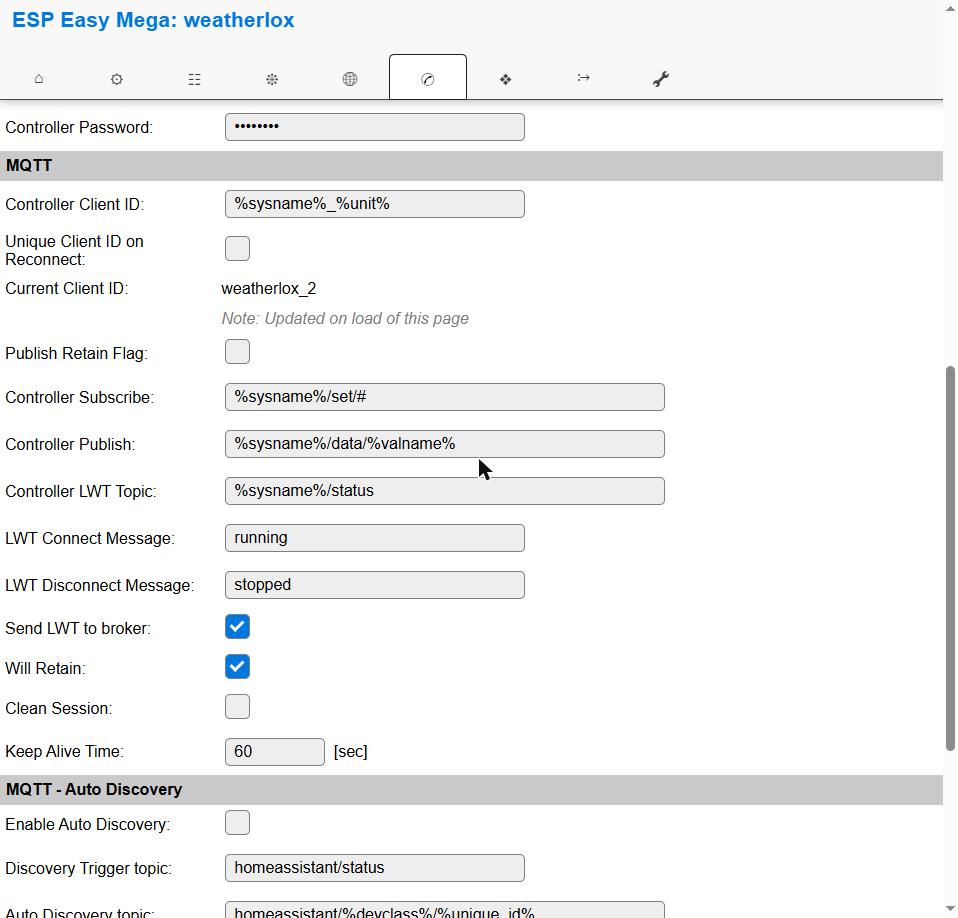
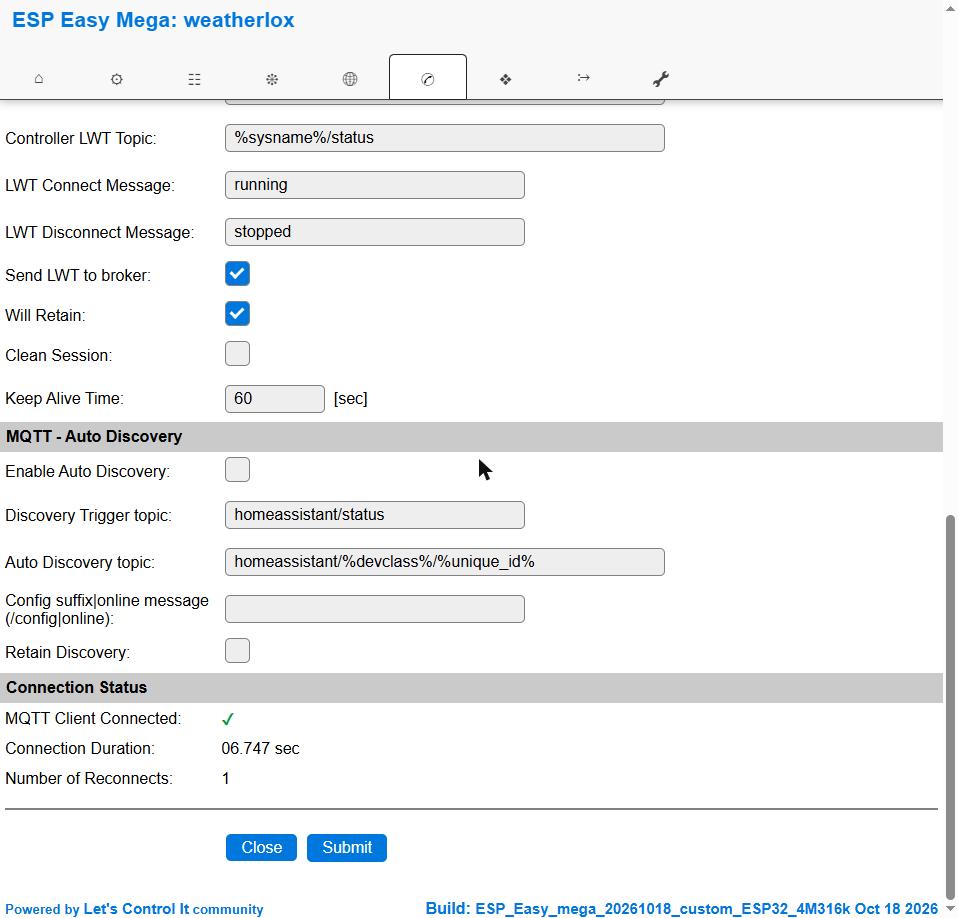
You can see at the very bottom under Connection Status whether the connection to the broker is established.
Controller 1: UDP
Instead of MQTT, controller 1 can send the values via UDP, for example directly to the Loxone Miniserver. To do this, select Generic UDP as Protocol, enter the IP address and port of the receiver and %sysname%_%valname%=%value% as Controller Publish.
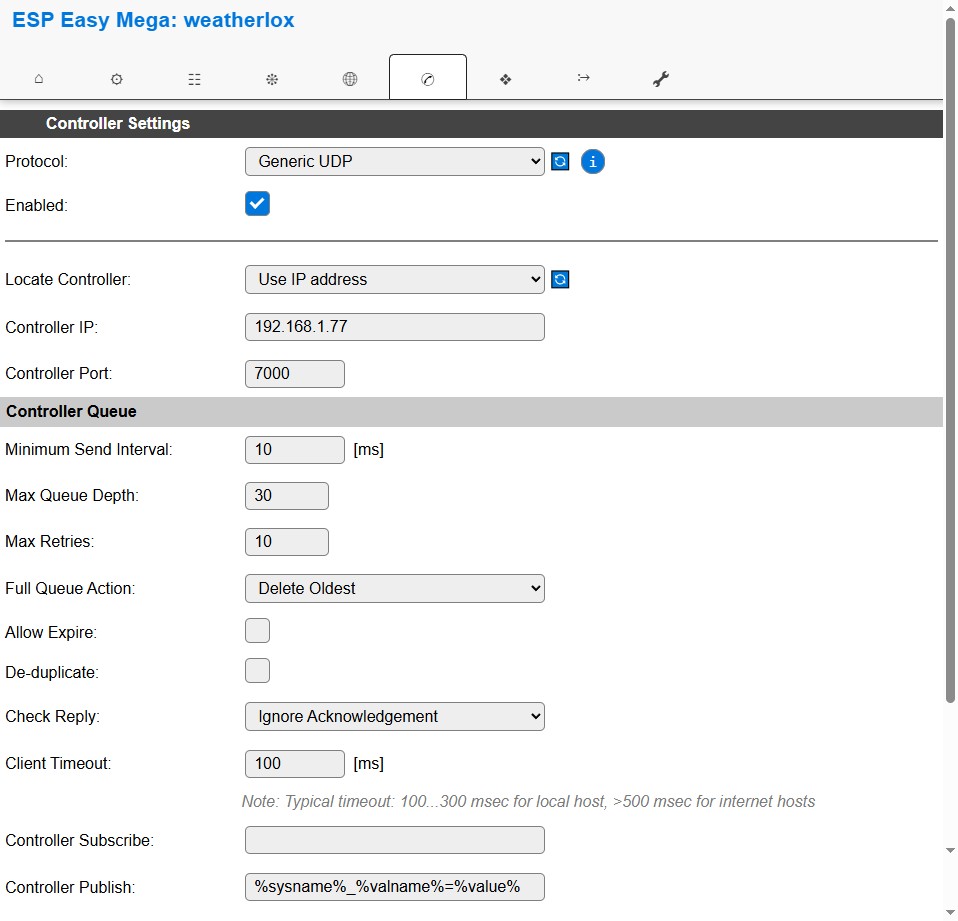
Each value arrives as a separate packet, for example weatherlox_temperature=20.34. In Loxone, create a virtual UDP input with this port and below it one virtual UDP input command per value with the command recognition weatherlox_temperature=\v.
Controller 1: HTTP
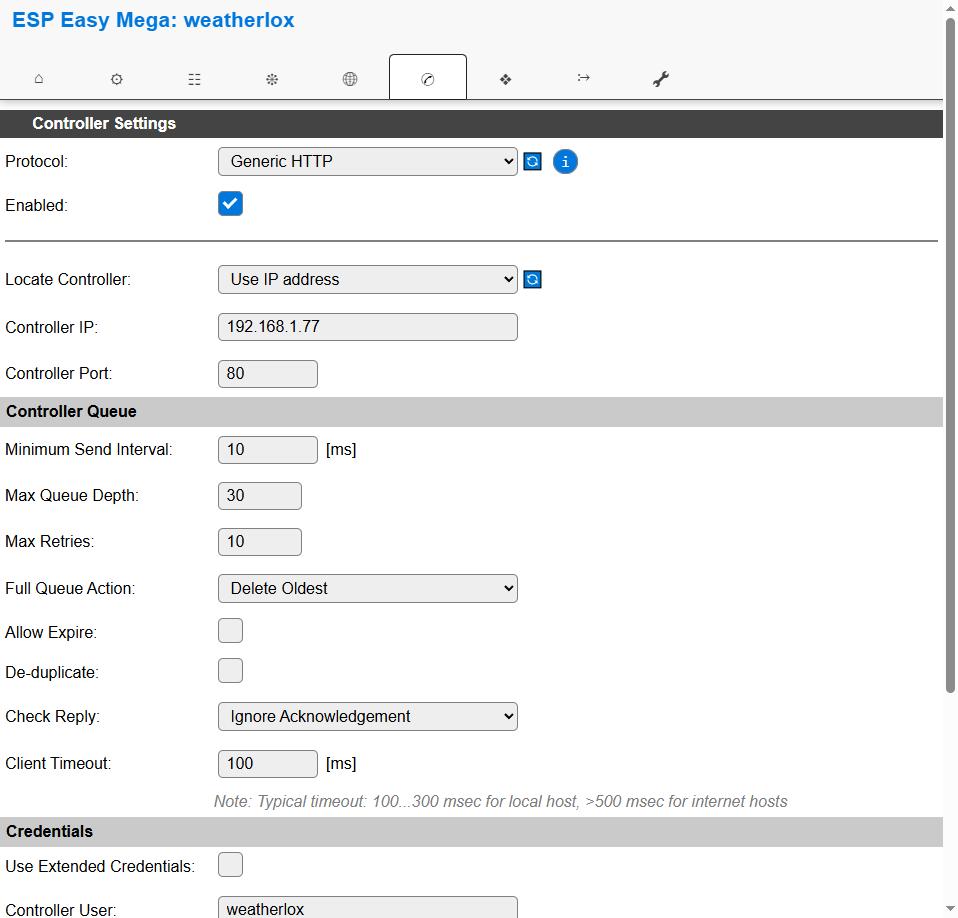
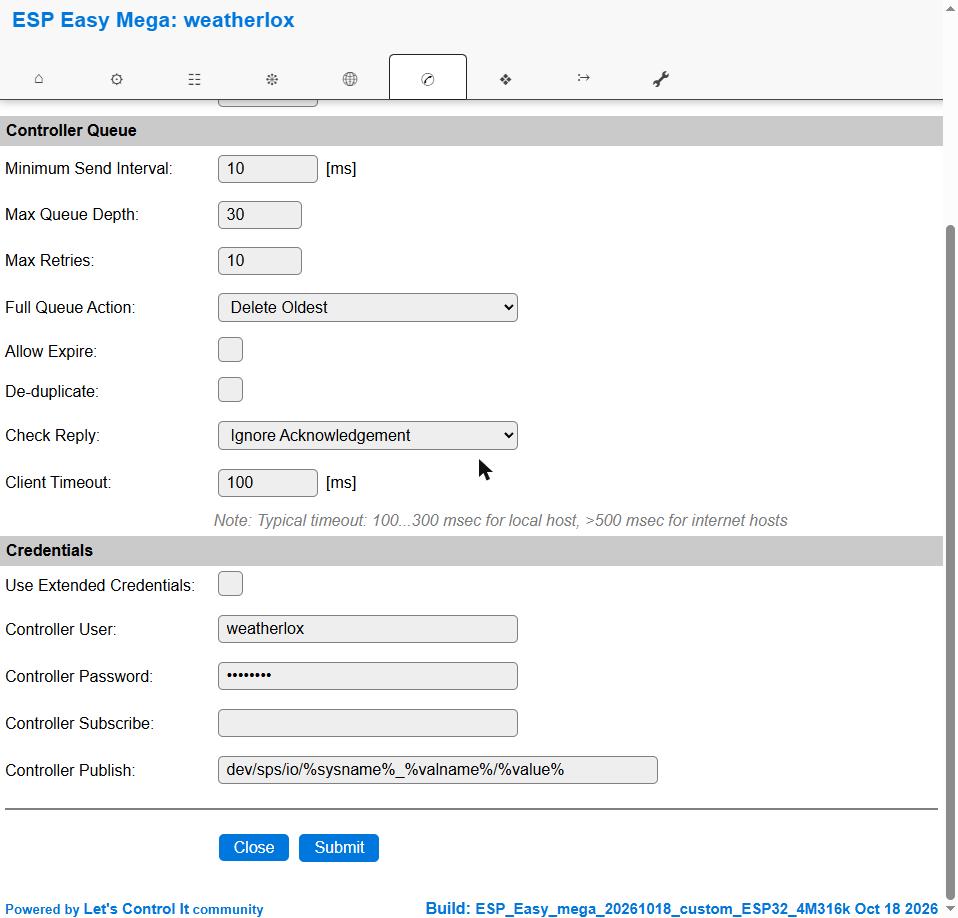
With Generic HTTP the control unit sends each value as a separate web request, for example to virtual inputs of the Loxone Miniserver. Enter dev/sps/io/%sysname%_%valname%/%value% as Controller Publish and a user of the Miniserver under Credentials. In the Miniserver, create one virtual input per value, named like the value, for example weatherlox_temperature.
HTTP only for a few values
Via HTTP the control unit only manages about 5 requests per second. With around 60 values every 5 seconds, values therefore get lost or only arrive about every 40 seconds. For all values use MQTT or UDP.
Controller 2: ESPEasy P2P
Controller 2 connects several control units with each other when the sensors are spread over different locations. How this works is described in 7. Decentralised Setup.
Controller 3: Ecowitt format
Controller 3 sends the data in the format of the Ecowitt weather stations. This allows the station to be connected to programs that understand this format, for example FOSHKplugin. Enter the IP address and port of the receiver and check Enabled. URI, Header and Body are prepared and remain unchanged. The control unit sends every 5 seconds. It fetches the PASSKEY, by which the receiver recognises the station, once from the WeatherLox server.