Introduction
The Lightning Sensor Module detects lightning strikes within a radius of up to 40 kilometres and was designed for use in weather stations, sports equipment and mobile devices. In addition, the installed sensor indicates the estimated distance to a thunderstorm front. It records both cloud-to-cloud lightning and cloud-to-ground lightning. An integrated algorithm largely suppresses man-made interference.
However, the sensor should be installed as far away as possible from electromagnetic interference – e.g. not near PV systems.
Available measurements
With the Lightning Sensor Module, the following values are available at the weather station:
| Variable | Unit | Source | Description |
|---|---|---|---|
| lightning_time | – | Measurement | Time of the last lightning event |
| lightning_num_daily | – | Measurement | Number of lightning events current day |
| lightning | km | Measurement | Distance of the last lightning event |
Sensor used
The weather station uses the well-known AS3935 sensor. It can record all 3 measured variables and is very widespread. The sensor is made by Austriamicrosystems AG from Austria.
Datasheet
Specification
- General:
- Operating voltage: 2.4V to 5.5V
- Distance
- Up to max. 40km, resolution down to 1 km in 14 steps
Parts list
Available as a kit
All necessary components of this guide are also available as a complete kit! The kit contains all individual components (except adhesives, solder, etc.), including the required PCBs and 3D printed parts. With your purchase you also support us in the further development of the DIY weather station.
Request a kit ›The following components are required to assemble the sensor module:
| Quantity | Component | Source |
|---|---|---|
| 1 pc. | AS3935 lightning sensor | Ali Express / Amazon |
| 2 pcs. | Hex spacer / standoff, M2, Thr 4mm, L 11mm | Ali Express / Amazon |
Only together with the Solar Sensor Module
The sensor is installed in the housing and on the PCB of the Solar Sensor Module! This module is therefore mandatory in order to use the Lightning Sensor Module!
Solar Sensor Module ›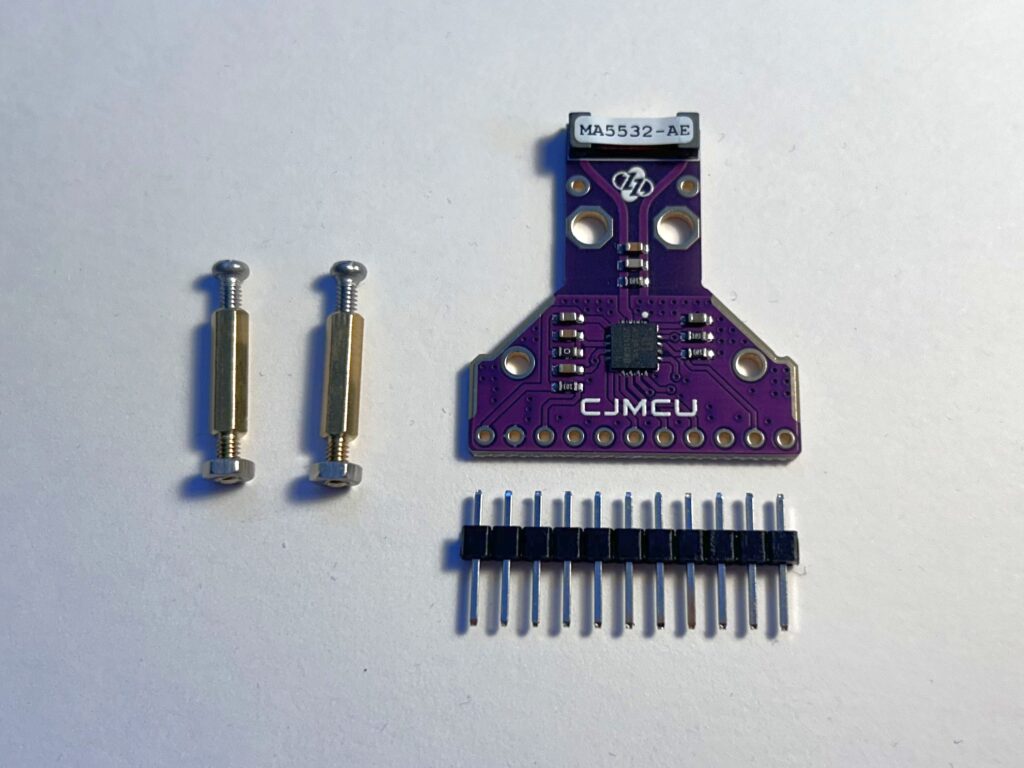
Required tools and consumables
The following tools and additional consumables are required to assemble the sensor:
- Small needle-nose pliers
- Phillips screwdriver, small
- Soldering iron and solder
- PCB protective lacquer (for weather resistance – important!)
PCB protective lacquer is available from electronics retailers or of course from Amazon/Ali Express and the like. Here are some examples:
- https://www.amazon.de/Isolierlack-Elektroniks-Transparent-Leiterplatten-Steuerplatinen/dp/B0G8GBC7WH
- https://www.amazon.de/Schutzbeschichtung-Schaltkreisdichtmittel-Komponentenisolierung-Feuchtigkeitsschutz-Platinenschutzlack/dp/B0G4JYSP42
- https://www.amazon.de/1DFAUL-Dichtungsmittel-feuchtigkeitsbest%C3%A4ndig-zuverl%C3%A4ssigen-elektronischer/dp/B0FH28QD3R
Assembly instructions
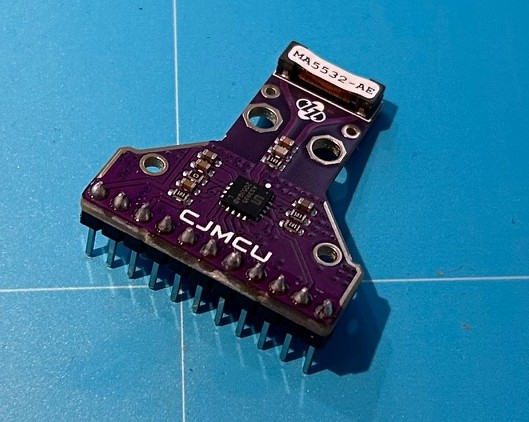
For assembly, the supplied male header is soldered to the sensor PCB. The side with the antenna (where the MA5532-AE sticker is) points upwards!
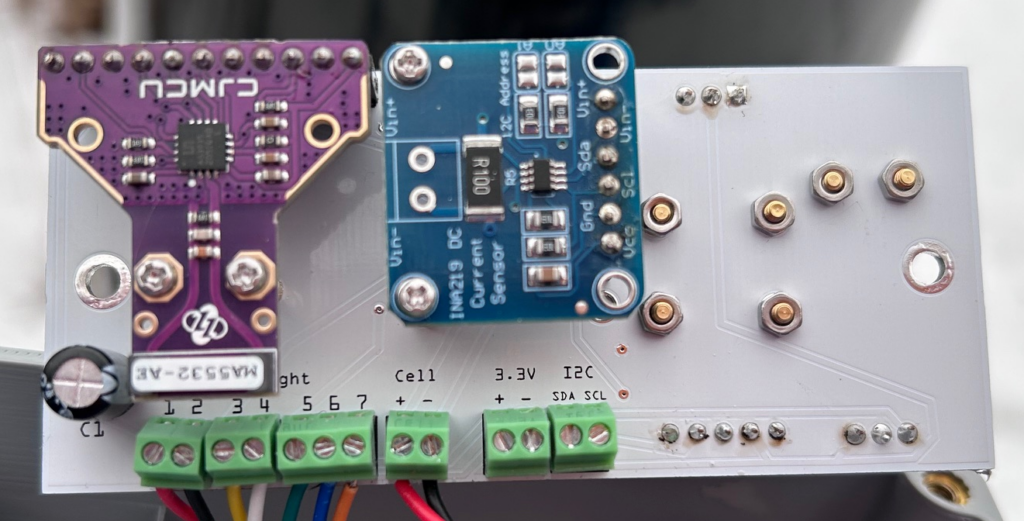
Then the control unit is disconnected from the power supply and the lightning sensor module is placed on the slot on the Solar Sensor PCB (underside). The sensor is fixed with the two hex spacers / standoffs.
Now the control unit is supplied with power again. After booting, you can log in to the weather station’s interface with a web browser. Switch to the Devices tab and check under no. 9 (lightning sensor) whether the sensor is activated (“Enabled”) and also shows readings (only -1 if there are currently no lightning events). Alternatively, you can scan the I2C bus for the sensor by checking under Tools –> I2C Scan whether an AS3935 Lightning Detector with address 0x03 is shown.

Done!