WeatherLox
The DIY smarthome weather station
WeatherLox brings your smart home together with the demands of amateur meteorology. All build instructions and the software are available here free of charge.
About the project
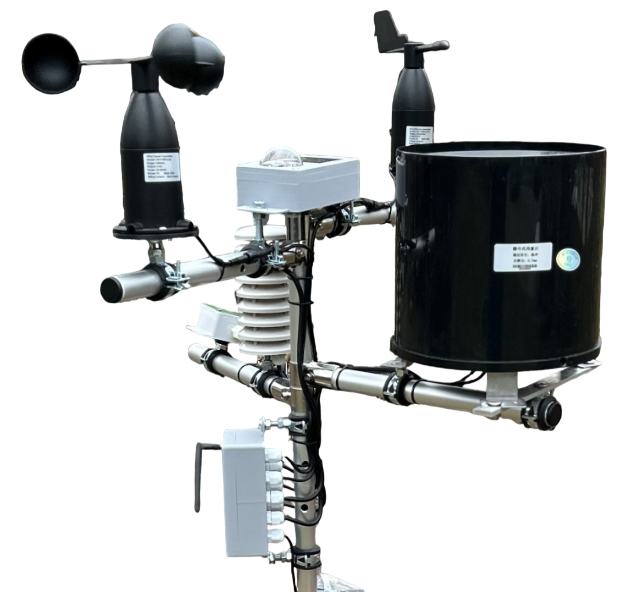
WeatherLox is a private project that I have been developing since 2024. The goal was a weather station that supplies a smart home with all important weather data while also meeting the demands of amateur meteorologists. That is why high-quality sensors are used, always with an eye on cost. In many respects, WeatherLox is therefore superior to the usual commercial weather stations.
WeatherLox was built for Loxone. Thanks to the open interfaces MQTT, UDP and HTTP, the station can just as well be used with Home Assistant, ioBroker or any other system that understands one of these interfaces.
Build instructions, firmware, 3D print files and PCB layouts are available free of charge. If you don’t want to source all the parts yourself, you can request a kit from me.
Modular design
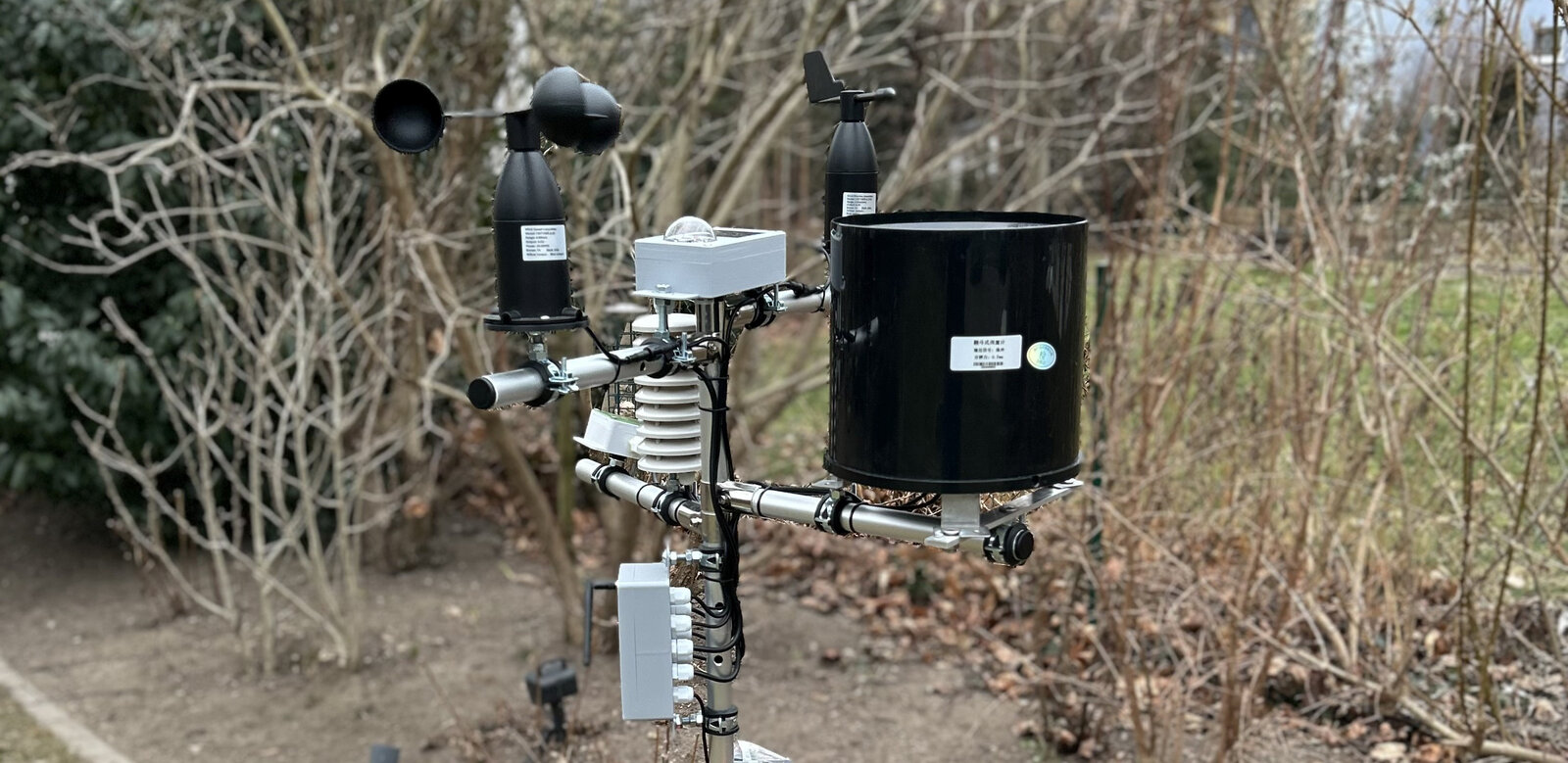
The heart of the station is the Control Module with an ESP32. All other modules are optional: you choose the measurements you really need and can expand the station step by step.
What is measured
- Air temperature, relative humidity and air pressure
- Wind speed and wind direction
- Rain: rain detection, rain duration and rain amount
- Lightning and distance to the thunderstorm front
- Solar radiation, brightness, twilight and UV radiation
- up to four additional temperature probes (1-Wire), e.g. for soil temperature
What is calculated
- Sunshine duration using the optimised method by Jterrettaz
- Air pressure trend and relative air pressure
- Dew point, absolute humidity and vapour pressure deficit (VPD)
- Feels-like temperature, wind chill and heat index
- Sun position and cloud base
- Daily, weekly, monthly and yearly rain totals
So the firmware does not simply pass on the raw values, it processes them into finished weather data directly on the station. All modules in the build instructions →
Open interfaces
The station sends the weather data itself. No LoxBerry or other server in between is required. Up to three transmission paths can be used at the same time.
MQTT
The standard for smart home systems such as Home Assistant or ioBroker.
UDP
Lean and fast, for example for the Loxone Miniserver.
HTTP
For all systems that accept data via HTTP requests.
Ecowitt
The station identifies itself as an Ecowitt weather station. This means programs such as WeeWX, the FOSHKplugin or PC-Wetterstation work with it.
Compatible software
WeatherLox sends the data directly to your system. This allows the station to work with many smart home systems and weather programs.
Smart home systems
Via MQTT, UDP or HTTP, for example:
- Loxone
- Home Assistant
- ioBroker
- Node-RED
- Homematic
- and any other system that understands one of these interfaces
Weather software via the Ecowitt format
WeatherLox identifies itself as an Ecowitt weather station and sends the data like Ecowitt’s “Customized Upload”. Programs that work with it include:
- FOSHKplugin for LoxBerry, which can also forward the data to weather services
- PC-Wetterstation by Werner Krenn
- WeeWX with the Interceptor driver
- Cumulus MX (station type “HTTP Ecowitt”)
- Home Assistant with the Ecowitt integration
- ioBroker with the sainlogic adapter
- Homebridge with the homebridge-ecowitt-weather-sensors plugin
In the respective software, choose the receiving mode for Ecowitt stations that accepts data via Customized Server.
Available measurements
When fully equipped, WeatherLox provides 58 values. Which of them your station outputs depends on the modules you build. The weather service values are fetched by the control unit from Open-Meteo via the internet.
| Module | Variable | Unit | Source | Description |
|---|---|---|---|---|
| Air Sensor Module | temperature | °C | Measurement | Outside temperature |
| temperature_avg2m | °C | Calculated | Ø temperature 2 min | |
| temperature_avg10m | °C | Calculated | Ø temperature 10 min | |
| dewpoint | °C | Calculated | Dew point | |
| feelslike | °C | Calculated | Feels-like temperature | |
| heatindex | °C | Calculated | Heat index | |
| humidity | % | Measurement | Rel. humidity | |
| humidity_abs | g/m³ | Calculated | Abs. humidity | |
| pressure_abs | hPa | Measurement | Air pressure absolute | |
| pressure_rel | hPa | Calculated | Air pressure relative | |
| pressure_trend_1h | Calculated | Air pressure trend 1h | ||
| pressure_trend_3h | Calculated | Air pressure trend 3h | ||
| vapourpressuredeficit | hPa | Calculated | Vapour pressure deficit | |
| pressure_change_1h | hPa | Calculated | Air pressure change 1h | |
| pressure_change_3h | hPa | Calculated | Air pressure change 3h | |
| cloudbase | m | Calculated | Cloud base (cumulus) | |
| Solar Sensor Module | illuminance | Lx | Measurement | Brightness |
| solarradiation | W/m² | Measurement | Solar radiation | |
| solarradiation_daily | Wh/m² | Measurement | Solar radiation current day | |
| sunduration_daily | h | Measurement | Sunshine duration current day | |
| sunshine | 0/1 | Measurement | Sunshine present | |
| twilight | % | Measurement | Twilight | |
| uvi | Measurement | UV index | ||
| sunelevation | ° | Calculated | Sun elevation | |
| sundirection | ° | Calculated | Sun direction (azimuth) | |
| Lightning Sensor Module | lightning_time | – | Measurement | Time of the last lightning event |
| lightning_num_daily | – | Measurement | Number of lightning events current day | |
| lightning | km | Measurement | Distance of the last lightning event | |
| Windspeed Sensor Module | beaufort | Bft | Measurement | Wind force |
| windchill | °C | Calculated | Wind chill (feels-like temperature) | |
| windgust_max10m | km/h | Measurement | Max. wind gust last 10 min. | |
| windgust_max2m | km/h | Measurement | Max. wind gust last 2 min. | |
| windgust_maxdaily | km/h | Measurement | Max. wind gust current day | |
| windrun_daily | km | Measurement | Wind run current day | |
| windspeed | km/h | Measurement | Wind speed | |
| windspeed_avg10m | km/h | Measurement | Avg. wind speed last 10 min. | |
| windspeed_avg2m | km/h | Measurement | Avg. wind speed last 2 min. | |
| Winddirection Sensor Module | winddir | ° | Measurement | Wind direction |
| winddir_avg10m | ° | Measurement | Avg. wind direction last 10 min. | |
| winddir_avg2m | ° | Measurement | Avg. wind direction last 2 min. | |
| Rain Sensor Module | rainstate | 0/1 | Measurement | Rain state (rain/snow detected) |
| Rain Amount Sensor Module | rain_24h | mm | Measurement | Rain amount last 24 h |
| rain_daily | mm | Measurement | Rain amount current day | |
| rain_event | mm | Measurement | Rain amount current event | |
| rain_monthly | mm | Measurement | Rain amount current month | |
| rain_weekly | mm | Measurement | Rain amount current week | |
| rain_yearly | mm | Measurement | Rain amount current year | |
| rainrate | mm/h | Measurement | Rain rate | |
| Control Module (optional 1-Wire probes) | temperature1 | °C | Measurement | Temperature 1 (e.g. soil temperature) |
| temperature2 | °C | Measurement | Temperature 2 (e.g. soil temperature) | |
| temperature3 | °C | Measurement | Temperature 3 (e.g. soil temperature) | |
| temperature4 | °C | Measurement | Temperature 4 (e.g. soil temperature) | |
| Weather service Open-Meteo (internet required) | cloudcover | % | Weather service | Cloud cover |
| precipitationprob | % | Weather service | Current precipitation probability | |
| visibility | km | Weather service | Visibility | |
| weathercode | – | Weather service | Weather code (WMO) | |
| evapotranspiration | mm | Weather service | Evapotranspiration | |
| et0evapotranspiration | mm | Weather service | Reference evapotranspiration (ET0) |
Central or decentral setup
The easiest way is to set up the whole station in one place. However, if you want to measure as closely as possible to the guidelines of the German Weather Service (DWD), you need different locations:
- Temperature 2 m above the ground, preferably in the shade
- Rain gauge 1 m above the ground, free-standing over grass and sheltered from the wind
- Wind at a height of 10 m, without obstacles nearby
- Solar radiation with a clear view of the sun throughout the day
Even without these guidelines, many properties don’t have that one optimal location. That is why the sensors can be distributed freely.
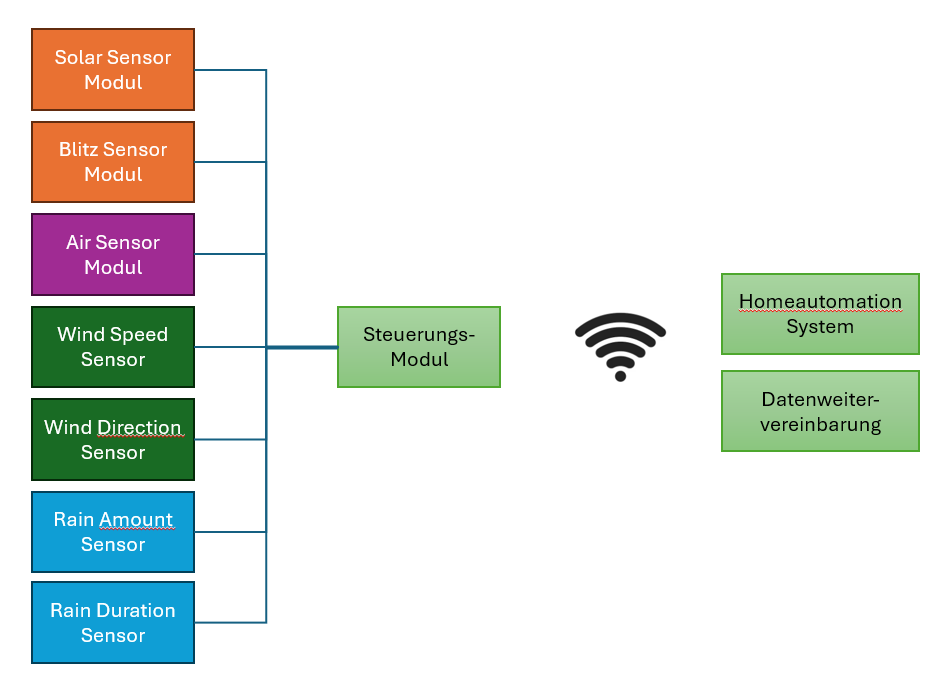
Central setup
All sensors are connected to a single Control Module.
Decentral setup
Each location gets its own Control Module. One of them works as the master: it collects the measurements of the other modules (slaves) via UDP, calculates the weather data from them and sends it to your smart home. Sensors can also be connected to the master. You decide which module is the master.

Get started
Build instructions
Step by step for every module, with parts list, printed parts and photos.
Software
Flash the firmware for the ESP32 directly in the browser or build it yourself.
Kits
Don’t feel like ordering all the parts individually? Just request a kit.