Up to four temperature sensors of type DS18B20 or compatible can be connected to the control unit. The control unit sends their values as temperature1 to temperature4 (task data_14). This requires the rules from version 1.1.3 onwards, see 5. Rules Update.
Connection
The sensors are connected to the terminal labelled “1-Wire” on the board. The 3-pin terminal has the contacts + (supply), – (ground) and D (data). Several sensors are wired in series, i.e. all on the same three wires. With the waterproof versions, red is usually the supply, black the ground and yellow the data line; if in doubt, the sensor’s data sheet applies.
The pull-up resistor required for 1-Wire is already fitted on the board. The note “External pull up resistor is needed” in ESPEasy therefore only applies to other circuits.
Setup in ESPEasy
Step 1: Enable the task
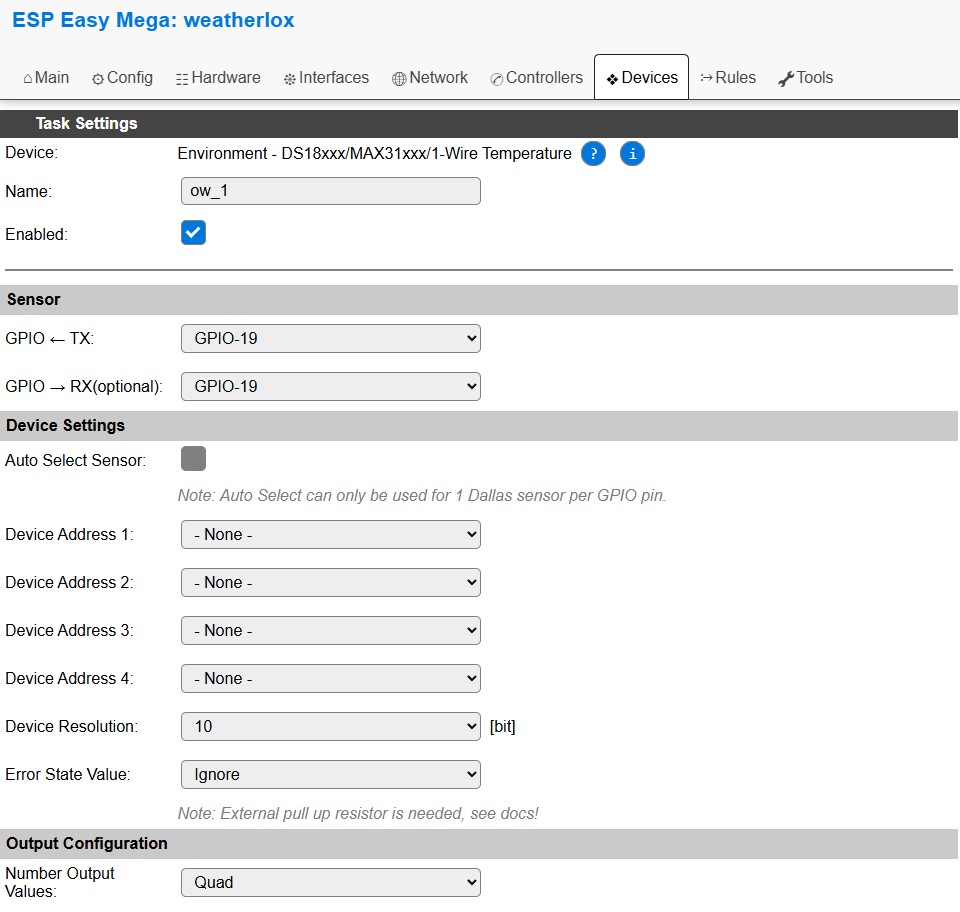
The task for the 1-Wire sensors is prepared but switched off by default. In the Devices tab, click on Edit for task 8 ow_1, check Enabled and click on Submit at the bottom. The name, GPIO-19 and the other settings remain unchanged.
Step 2: Assign the sensors
After that, the selection lists Device Address 1 to Device Address 4 show the sensors found with their address. Device Address 1 provides temperature1, Device Address 2 temperature2 and so on. Unused addresses remain at “- None -”. Finally click on Submit again.
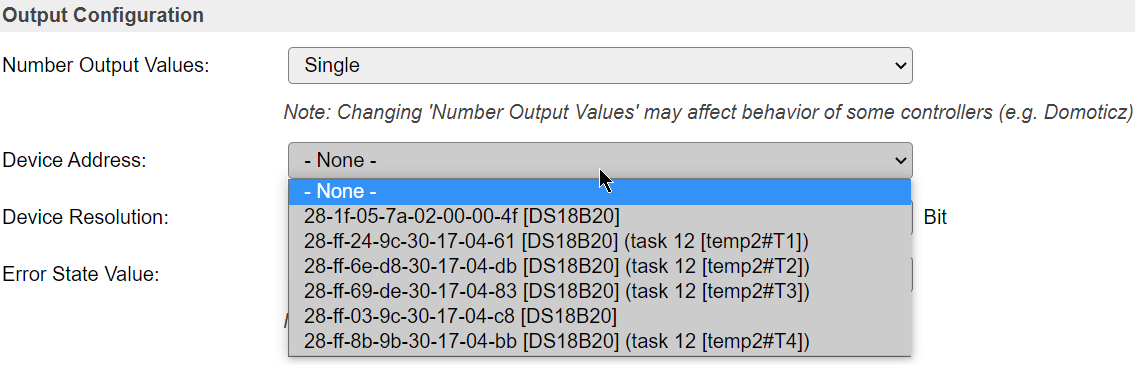
To find out which sensor has which address, connect the sensors one after the other and reload the page each time.
Step 3: Check
Under Statistics the page shows for each sensor how many readings succeeded and how many failed. The temperatures appear in the Devices tab under ow_1 and as temperature1 to temperature4 under data_14.

For ow_1, no controller is checked under Data Acquisition. The values go to the controllers via data_14, like all other measured values.