Introduction
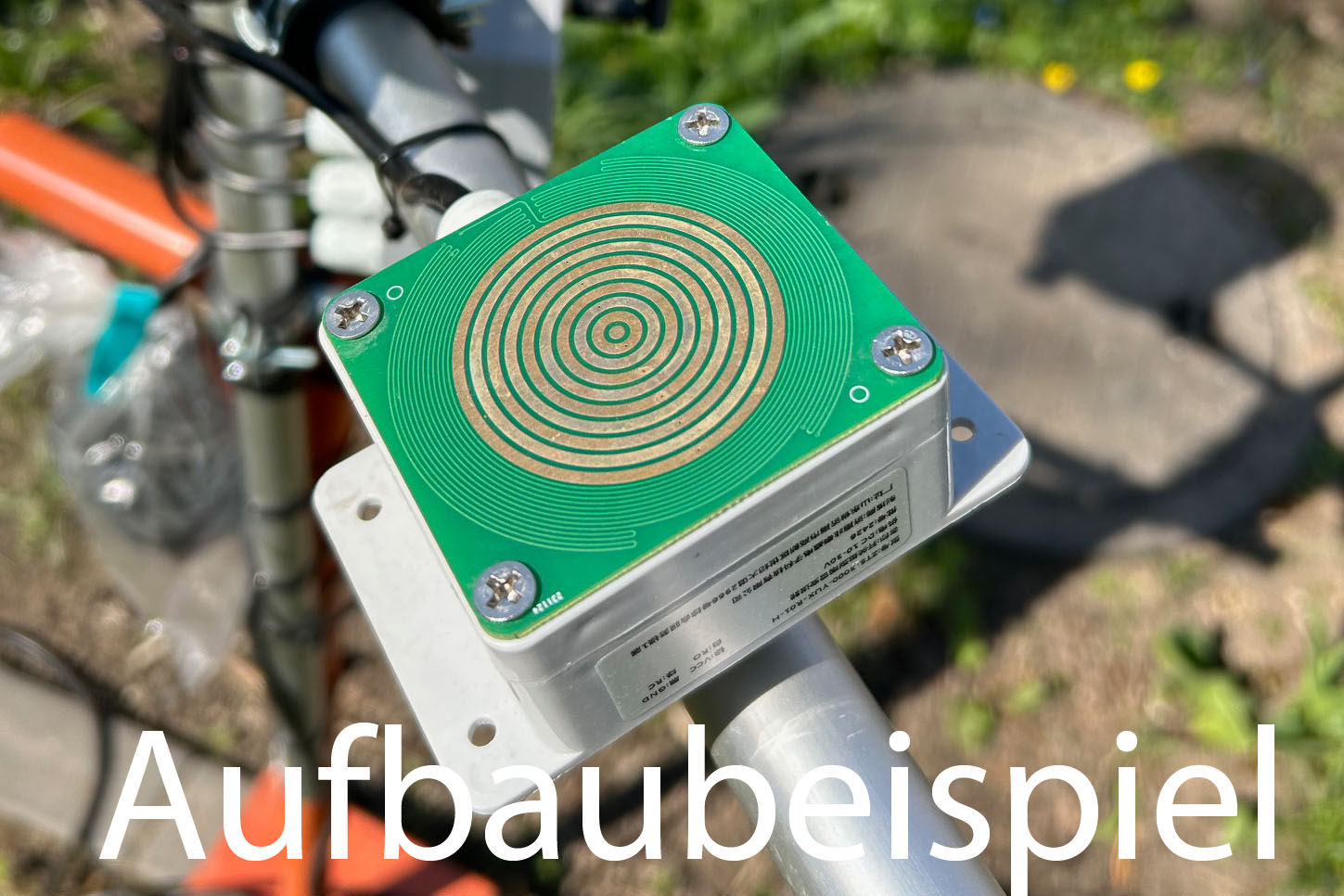
A digital rain sensor detects moisture on a conductive surface. It can therefore detect whether it is raining (or snowing), but not determine the amount of rain – that is what the rain gauge is for. Nevertheless, it is very useful: it is much more sensitive than a rain gauge and detects the onset of rain much earlier. This allows awnings, roof windows etc. to be protected more reliably, and the rain duration can also be determined precisely.
A heated surface is important: otherwise, in autumn, dew can form on the sensor and cause false triggering. The heating prevents this and at the same time enables snow to be detected in winter.
Available measurements
| Variable | Unit | Source | Description |
|---|---|---|---|
| rainstate | 0/1 | Measurement | Rain state (rain/snow detected) |
Sensor used
We use a widespread rain/snow sensor (Renke/ComWinTop) with a potential-free relay output (normally open) and a heated surface. The heating switches on automatically at low temperatures (according to the datasheet below approx. 15 °C) and thus counteracts dew and icing. A special AC measurement prevents oxidation of the sensor surface and ensures lasting sensitivity. The housing is protected according to IP68.
Datasheet
Caution! Several variants of this sensor are in circulation – the wiring often differs from the one in the datasheet!
Specification
- Measuring principle: qualitative rain/snow detection (rain yes/no)
- Output: potential-free relay (normally open); additionally RS485/Modbus-RTU
- Relay load capacity: 250 V AC 1 A / 30 V DC 1 A
- Response time: ≤ 0.5 s
- Heating: active below approx. 15 °C, max. 40 °C
- Supply voltage: DC 10-30 V
- Power consumption: 0.4 W (with heating 2.4 W)
- Protection class: IP68
- Operating/storage temperature: −40 … +80 °C
- Dimensions: base plate 89 × 60 mm, height 38 mm
Parts list
Available as a kit
All necessary components of this guide are also available as a complete kit! The kit contains all individual components (except adhesives, solder, etc.) – including the required PCBs and 3D printed parts. With your purchase you also support us in the further development of the DIY weather station.
Request a kit ›| Quantity | Component | Source |
|---|---|---|
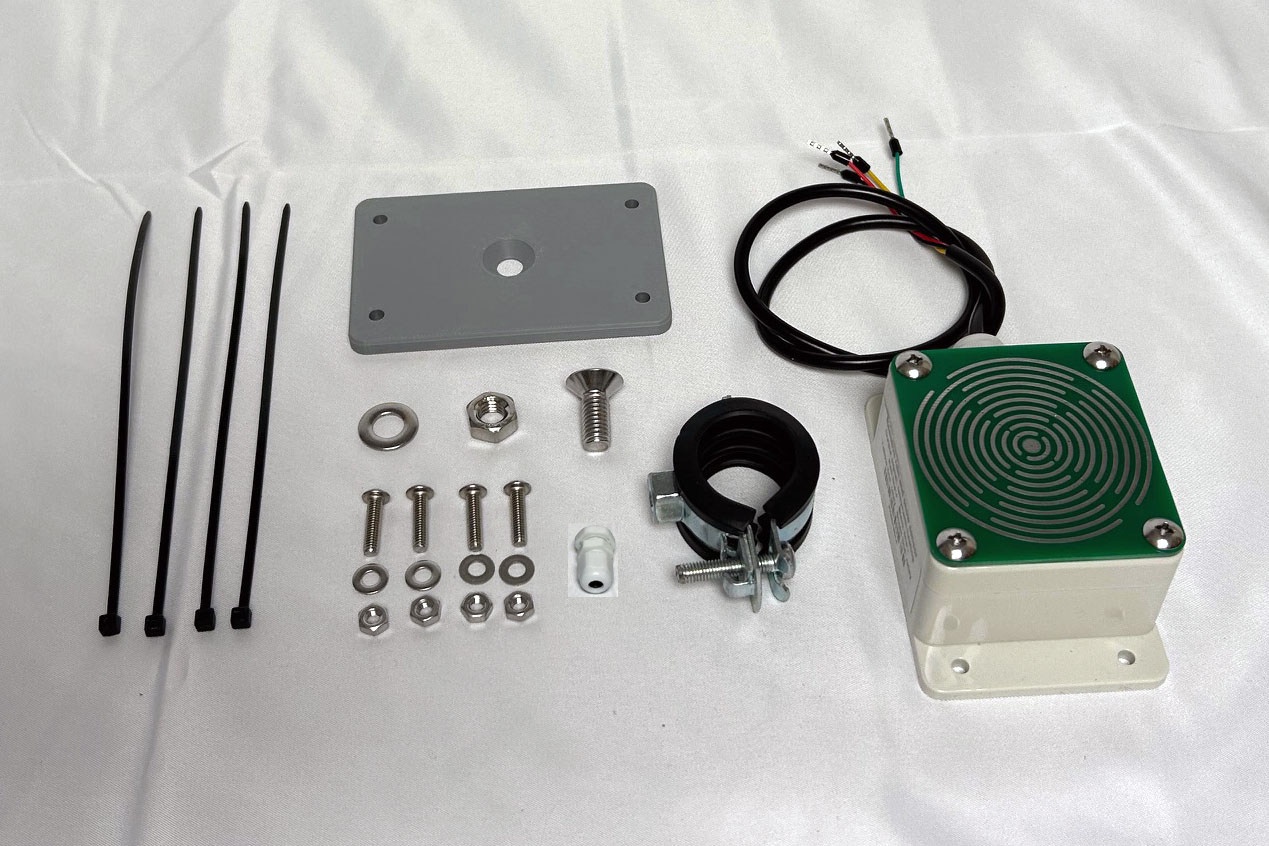
| 1 pc. | Rain/snow sensor with relay (normally open) & heating (Renke RS-YUX-R01-H or similar) | Ali Express / Amazon |
| 4 pcs. | Stainless steel hex nut M4 | Ali Express / Amazon / hardware store |
| 3 pcs. | Stainless steel hex nut M8 | Ali Express / Amazon / hardware store |
| 4 pcs. | Stainless steel countersunk screw DIN7991, M4×20mm | Ali Express / Amazon / hardware store |
| 1 pc. | Stainless steel countersunk screw DIN7991, M8×20mm | Ali Express / Amazon / hardware store |
| 4 pcs. | Stainless steel washer M4×9×0.8mm | Ali Express / Amazon / hardware store |
| 1 pc. | Stainless steel washer M8×16×1.5mm | Ali Express / Amazon / hardware store |
| 1 pc. | Cable gland IP68, PG07 (M12) | Ali Express / Amazon |
| 1 pc. | Swivel pipe clamp, 25-28mm / 3/4″ | Ali Express / Amazon / hardware store |
| 4 pcs. | Cable ties 3×150mm, UV-resistant | Ali Express / Amazon / hardware store |
3D printed parts and PCB
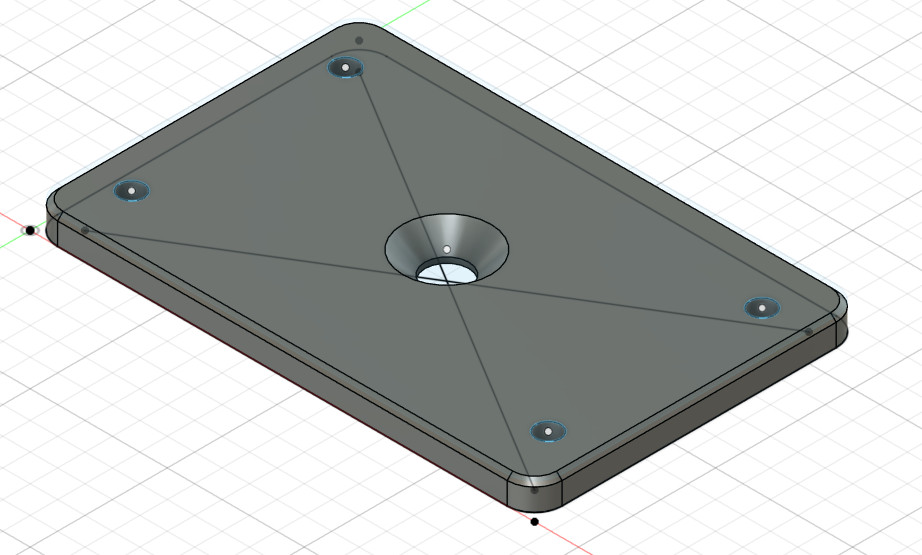
The rain sensor is attached to the mounting system via a 3D printed adapter. The adapter holds the sensor housing and is fixed to the mast with a swivel pipe clamp.
The 3D print files can be downloaded here: https://github.com/mschlenstedt/WeatherLox/tree/main/case/weatherlox-rain
Required tools and consumables
- Allen keys and wrenches (M4, M8)
- Possibly a 4 or 5 mm wood drill
Assembly instructions
Mount the control unit first
This guide assumes that you already have a working control unit! So, if necessary, start with the control unit before assembling this sensor module.
First, the pipe clamp is attached to the 3D printed adapter. To do this, pass the M8 screw through the middle of the adapter and secure it from below with a washer and nut. The pipe clamp is then attached to the screw.
Then the sensor is attached to the adapter with the M4 screws. If the screw holes on the sensor are too narrow/small, they have to be widened a little with a 4 (or 5) mm wood drill. The sensor is then attached to the adapter with the 4 screws and secured from below with a washer and lock nut.
The sensor is mounted with a 15° inclination (so that water can drain off).
The cable is now routed neatly down to the control unit (note: the cables should only be fixed with cable ties once the assembly of the entire weather station has been completed – this way cables can be bundled). The cable is fed into the control unit with a downward loop. This ensures that dripping water that collects on the cable is directed away from the cable gland. The cable is shortened accordingly and stripped for approx. 10 cm inside. This leaves enough reserve for routing.
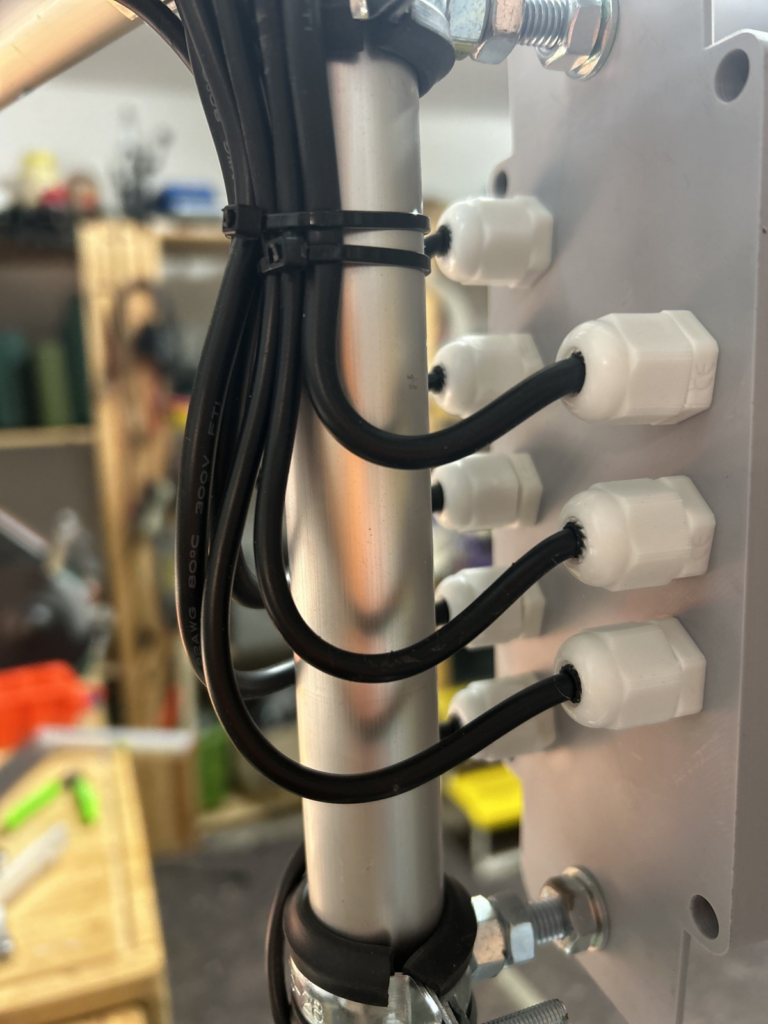
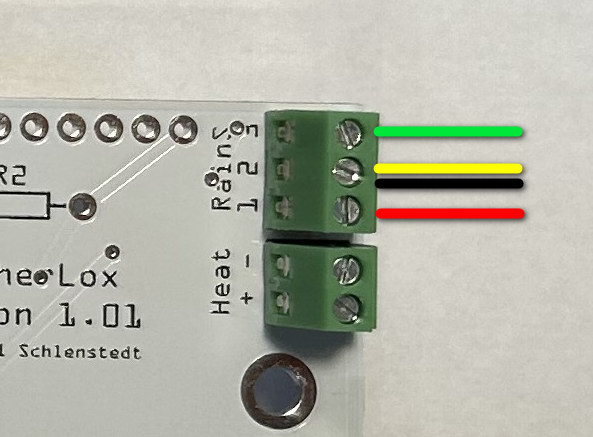
Then the cable is connected to the control unit at the terminals labelled “RainS”. Disconnect the control unit from the power supply first!
- RainS1: red
- RainS2: black and yellow
- RainS3: green
The control unit can now be supplied with power again. Now check once more whether the corresponding readings are displayed in the Devices tab. To do this, moisten the rain sensor slightly; you must hear the “click” of the relay and the value of task 2 (input_2) must change. Once the function test is complete, the assembly is already done!