In the simplest case, the whole weather station is set up in one place and all sensors are connected to one control module. If you follow the guidelines of the German Weather Service, however, you need different locations:
- temperature and humidity 2 m above the ground, shaded if possible
- rain at a height of 1 m, freely over grass, without structures nearby from which water can splash onto the sensor, and sheltered from the wind
- wind at a height of 10 m, with as few obstacles nearby as possible
- solar radiation with a clear view of the sun’s entire path, without shade
Even without these requirements, some properties simply do not have the one location that suits all sensors.
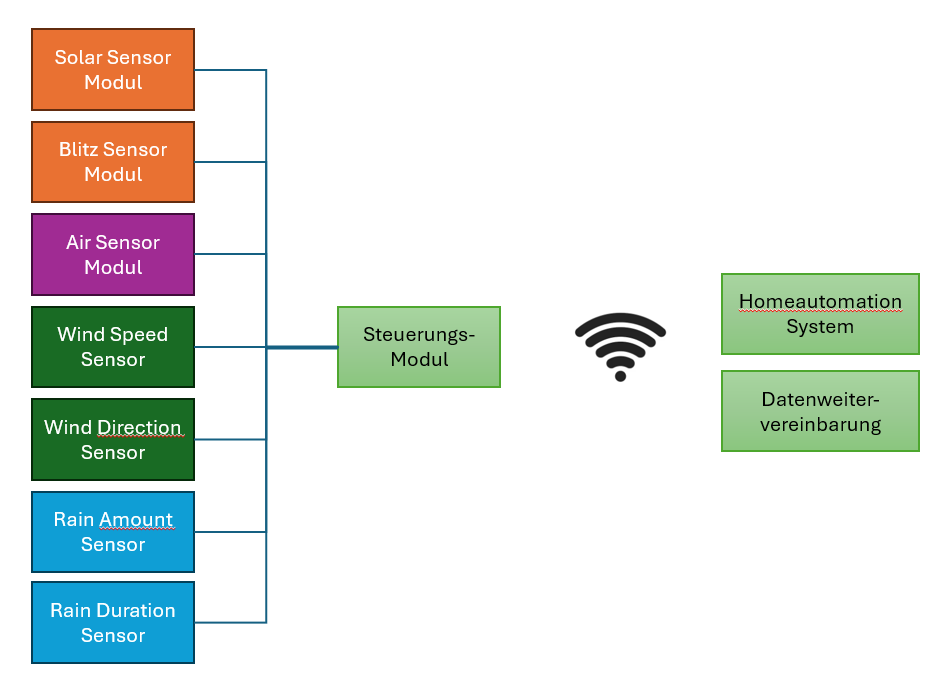
That is why the sensors can be spread over several locations. Each location gets its own control module. One of them is the master: it collects the measured values of the other modules (slaves), calculates the weather data from them and sends it to the other systems, for example to the Loxone Miniserver. Sensors can also be connected to the master. There is exactly one master. The modules communicate via UDP using ESPEasy’s own protocol ESPEasy P2P (controller 2).

How it works
All modules run the same WeatherLox image and therefore have the same task list. On the slave, Send to Controller 2 is checked for the sensor tasks whose values the master needs. The slave then sends the measured values of these tasks to the master with every measurement.
On the master, the task at the same position is set to receive its values from this slave (Remote Unit). The task then no longer reads its own sensor but takes over the values of the slave. For the rules on the master it looks as if the value came from its own sensor, and they continue calculating with it as usual.
Only the master talks to other systems. On the slaves, controllers 1 and 3 remain switched off, only controller 2 is active there.
Example: wind at a height of 10 m
The wind speed and wind direction sensors sit on a mast at a height of 10 m on their own control module, the slave. All other sensors are connected to the master at a height of 2 m.
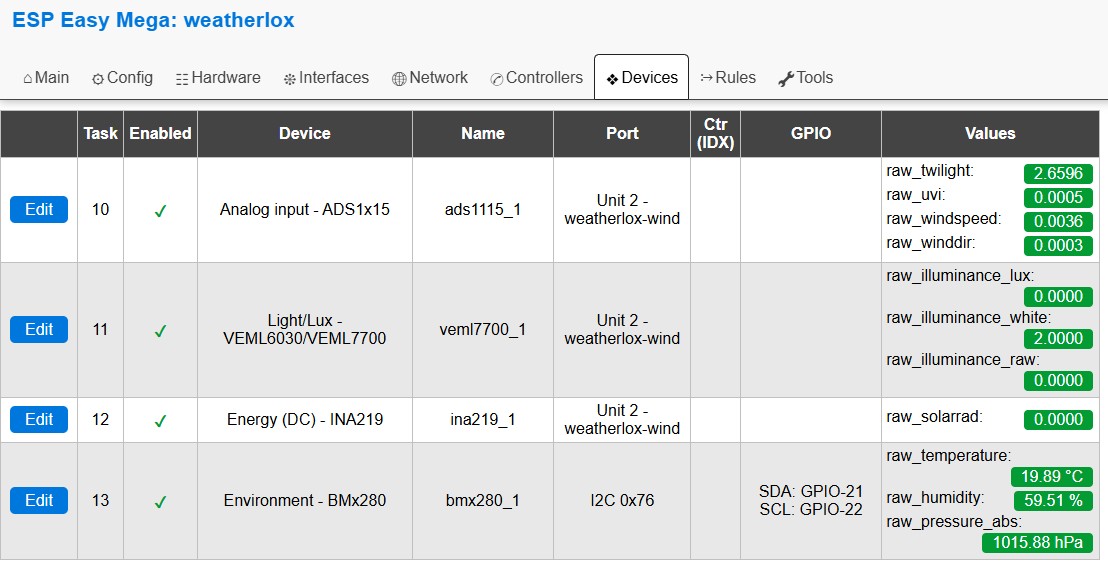
Both wind sensors are read via the ADS1115 analogue-to-digital converter, task 10 ads1115_1. Twilight and UV index of the Solar Sensor Module also run via the same task. If task 10 comes from the slave, these two values therefore also come from the slave. In this example the Solar Sensor Module therefore also goes onto the mast, where it is least shaded anyway. Then illuminance (task 11 veml7700_1) and solar radiation (task 12 ina219_1) are also transmitted from the slave.
Step 1: Assign unit numbers and names
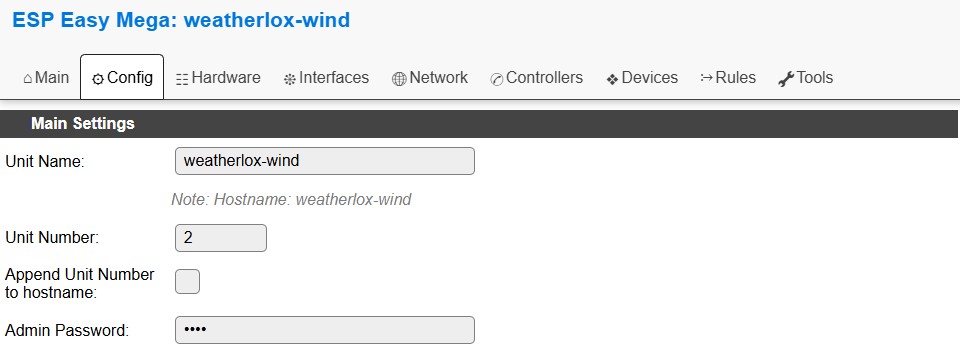
Each module needs its own unit number between 1 and 254, set in the Config tab under Unit Number. The image is set to 0, with which the transfer does not work. The numbers must also not match other ESPEasy devices on the network. In the example, the master gets 1 and the slave gets 2.
The slave also gets its own name under Unit Name, for example weatherlox-wind. Otherwise both modules appear on the network under the same name.
Both modules must be on the same network. Guest WiFi networks that isolate devices from each other are not suitable. The port for ESPEasy P2P (Tools → Advanced → ESPEasy p2p UDP port) is set to 8266 on both modules and stays that way. Restart both modules after saving. Both modules then appear in the Main tab under Node List.

Step 2: Set up the slave
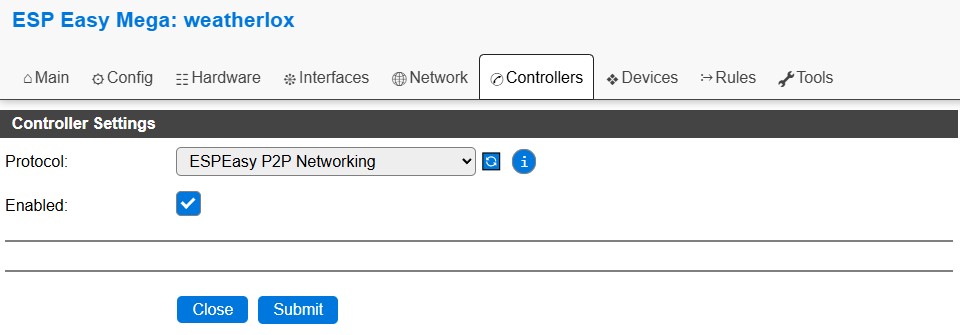
In the Controllers tab, switch on controller 2 (ESPEasy P2P Networking). Controllers 1 and 3 remain off.
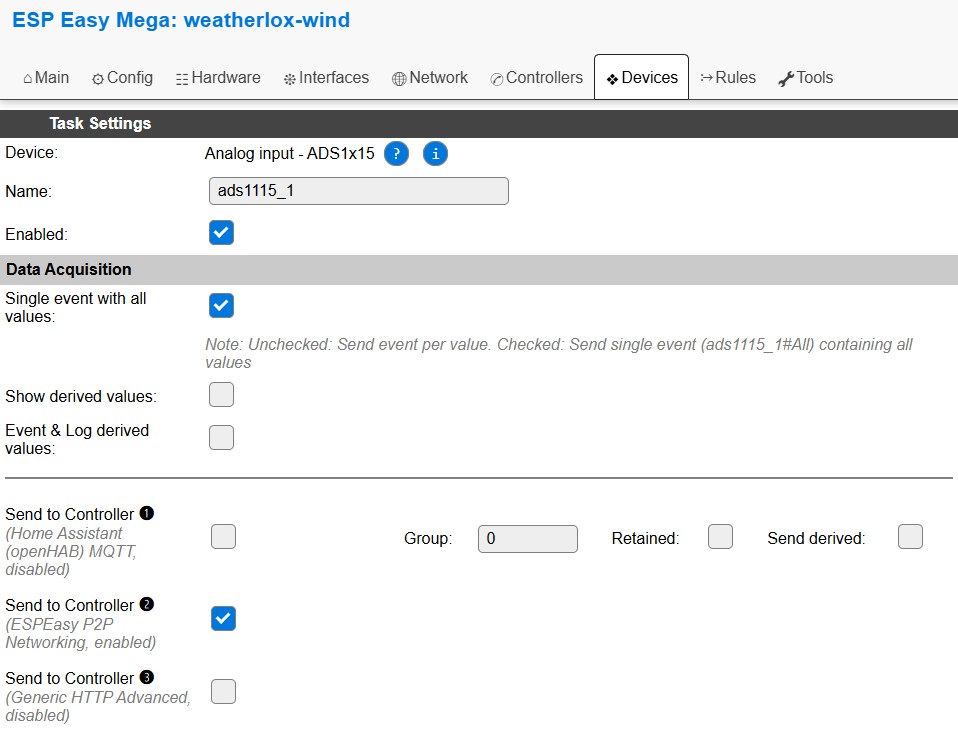
In the Devices tab, click on Edit for tasks 10, 11 and 12, check Send to Controller for controller 2 under Data Acquisition and click on Submit. This is done for the sensor tasks, not for the data_… tasks. Name and interval of the tasks remain unchanged; the rules on the master calculate the wind with 5 seconds.
The slave also calculates weather data with its rules, but does not send it. In rules1 of the slave, savesumvalues and getopenmeteo can therefore be set to 0.
Step 3: Set up the master
In the Controllers tab, also switch on controller 2, plus the controllers through which the weather data should be passed on, as described in 3. Setting up the Controllers.
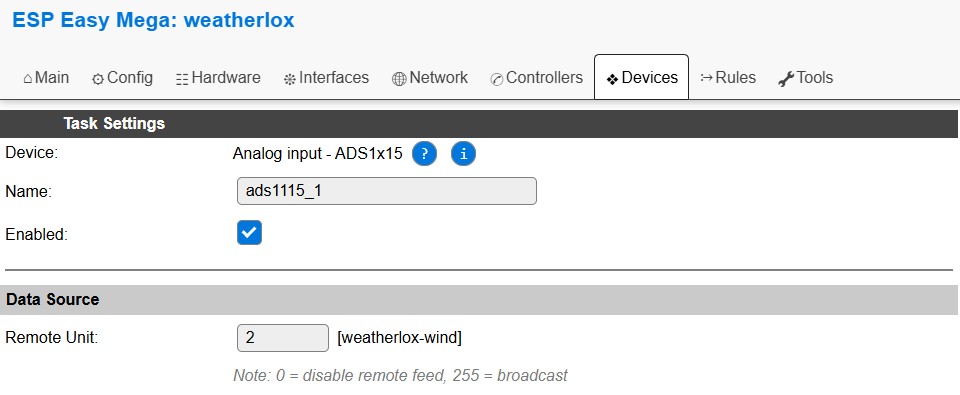
As soon as controller 2 is active, every task page shows the Data Source section with the Remote Unit field. For tasks 10, 11 and 12, enter the unit number of the slave there (2 in the example) and click on Submit. 0 means: the task reads its own sensor.
In the overview in the Devices tab, these tasks then show the source instead of the connection, for example “Unit 2 – weatherlox-wind”. The values arrive at the slave’s pace. If no values arrive, save the task on the slave again and check whether both modules appear under Node List.
Several slaves
Further slaves can be added in the same way, for example a module for the rain sensor at a height of 1 m. Each module gets its own unit number, and each task on the master gets its values from exactly one module. If the unit number of a slave changes, it must be adjusted on the master for the affected tasks.