Introduction
The Solar Sensor Module records the solar radiation, the brightness, the twilight and the UV radiation. It is important that the sensor is installed so that it is not shaded by nearby buildings, trees etc. at any time of the day. Otherwise the readings will be heavily distorted, which can lead to malfunctions, e.g. of the shading control.
The solar radiation (global radiation) is measured in W/m². It is therefore a form of energy (in contrast to recording the brightness). It can be measured in different ways, with 3 different main measuring methods. The WeatherLox weather station uses a photovoltaic radiation meter or silicon radiation sensor. Further information on the measuring method can be found in the article comparing the measuring principles for solar radiation. The sensor is based on a solar cell that records the radiation hitting it. It makes use of the fact that the measured short-circuit current of the solar cell is directly proportional to the incoming radiation.

Official weather stations also record the sunshine duration via the radiation (either with a pyranometer or classically with a sunshine recorder). The WeatherLox station also records the sunshine duration via the radiation sensor.
Brightness is usually measured in the unit lux and recorded with a brightness sensor. However, this does not only measure the pure radiation, but also takes into account the spectral sensitivity of the human eye.
In a smart home, for example, the shading can be controlled via the brightness. Depending on preference, however, the solar radiation (in W/m²) can also be relevant and used for this (depending on whether the incoming energy or the brightness is more important to you for shading). Another application in the smart home is the control of (outdoor) lighting, the Christmas lighting in winter or, via appropriate logic between outdoor brightness, sun position and shading position, the control of indoor lighting (if you have not installed a brightness sensor in some rooms).
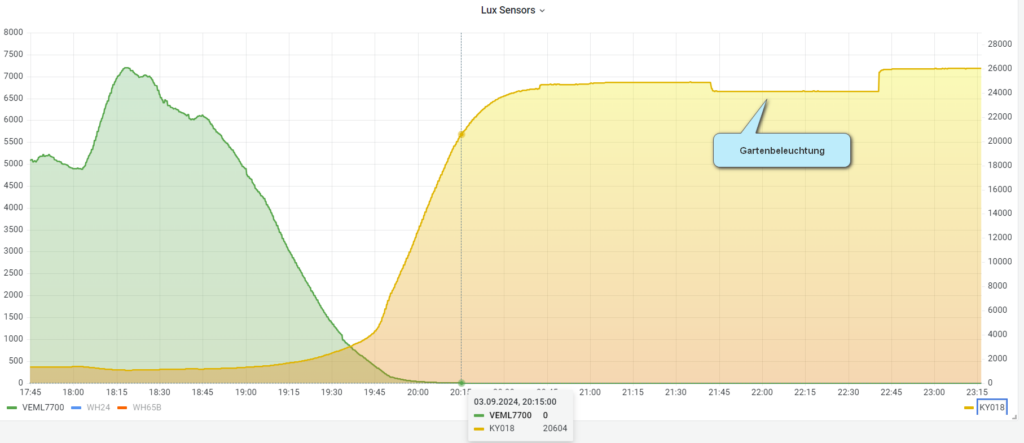
If you want to control the outdoor lighting very precisely in the twilight range, a twilight sensor that reacts much more sensitively in the twilight range is recommended in addition to the brightness sensor. For this purpose, the WeatherLox weather station also has a highly sensitive photoresistor. The twilight sensor does not output an absolute brightness in lux. It only outputs a voltage, which is a measure of the twilight. We convert this value into “percent twilight”, where 100% means absolute darkness. If you compare the twilight sensor with the installed brightness sensor, you can see that the twilight sensor can resolve the twilight much longer than the brightness sensor. The latter jumps to “0 lux” from a certain level of twilight, while the twilight sensor can resolve even further down. At my place you can even see the switched garden lighting, which only consists of indirectly lit plants!
UV radiation (ultraviolet radiation) is radiation in the range 100 to 400 nm. This range is further divided into UVA (315-400 nm), UVB (280-315 nm) and UVC radiation (100-280 nm). When solar radiation passes through the earth’s atmosphere, almost all of the UVC and about 90 % of the UVB radiation is absorbed. The sun’s UV radiation reaching the earth’s surface therefore consists predominantly of UVA with a small UVB component (Source).
The UV index is an internationally standardised measure of the strength of the sun’s UV radiation, defined by the World Health Organization (WHO) and the World Meteorological Organization (WMO). It is calculated from the measured UV radiation. The UV index is intended to help people assess solar radiation and protect themselves from the dangerous radiation with suitable measures. The higher the index value, the more harmful the radiation. The UV index is independent of skin type (Source). The German Weather Service publishes a daily forecast for the UV index on its website.
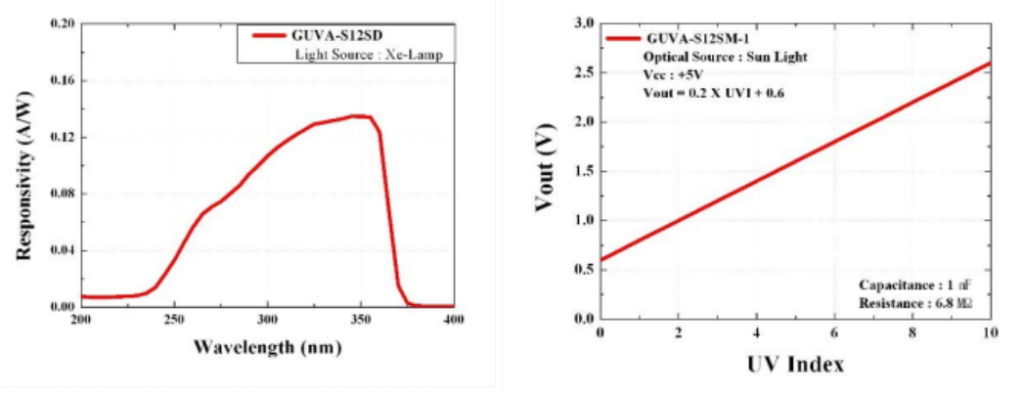
The WeatherLox weather station uses a sensor that outputs the UV index as an analog value, so that a manual (very complicated) calculation is not necessary. The sensor measures in the relevant wavelength range of UVA and UVB radiation (240 – 370 nm); the output of the sensor is linear to the UV index.
Available measurements
With the Solar Sensor Module, the following values are available at the weather station:
| Variable | Unit | Source | Description |
|---|---|---|---|
| illuminance | Lx | Measurement | Brightness |
| solarradiation | W/m² | Measurement | Solar radiation |
| solarradiation_daily | Wh/m² | Measurement | Solar radiation current day |
| sunduration_daily | h | Measurement | Sunshine duration current day |
| sunshine | 0/1 | Measurement | Sunshine present |
| twilight | % | Measurement | Twilight |
| uvi | Measurement | UV index | |
| sunelevation | ° | Calculated | Sun elevation |
| sundirection | ° | Calculated | Sun direction (azimuth) |
Sensors used
The weather station uses several sensors to record the different measurements.
Solar radiation
As described above, the solar radiation is recorded via a solar cell. The short-circuit current is determined by a corresponding INA219 sensor and converted into the radiation.
Datasheet
Specification
- INA219 sensor:
- Current sense resistor: 0.1 ohm / 1% / 2 W
- Target voltage: up to 26 V
- Current measurement: up to 3.2 A
- Resolution: 0.8 mA
- Dimensions: approx. 26 x 22 mm
- Solar cell
- Name: CNC60x60-1
- Size: 60x60mm
- Peak voltage: 1V
- Open circuit voltage: 1.2V
- Peak current: 500 mA
- Short circuit current (mA): 558 mA
Brightness
The weather station records the brightness with the well-known VEML7700 sensor. This sensor has the advantage that it covers the entire brightness range between 0 – 120,000 lux. At the same time, it still resolves very well in the twilight range. The very widespread alternative sensors TSL2561 and BH1750, which are very often found in instructions for DIY weather stations, can unfortunately only measure up to 55,000 lux and 65,000 lux respectively. However, this is not enough to cover the entire range in the summer midday sun. In our latitudes, values of up to 130,000 lux can occur.
Datasheet
Specification
- Sensor type: light intensity
- Embedded circuit: VEML7700
- Measuring range: 0 lux to 120 klux
- Measurement resolution: 16 bit
- Flicker filter: 100 Hz and 120 Hz
- Gain setting: yes
- Communication interface: I2C
- I2C address: 0x10
- Supply voltage: 3.3 V to 5 V
- Built-in voltage regulator: 3.3 V / 100 mA
Twilight
The KY-018 sensor is used as the twilight sensor. It is a photoresistor connected as a voltage divider with a 10 kOhm resistor. The resistance value of the photoresistor changes depending on how much light falls on it. The voltage drop across the photoresistor is measured: the darker it is, the higher its resistance and therefore the higher the measured voltage. The KY-018 is read at an input of the ADS1115 of the control unit.
Datasheet
Specification
- Disc Diameter: 5mm
- Light Resistance: 5-10k Ohm
- Dark resistance: upto 500k Ohm
- Maximum Operating Temperature: +75°C
- 3 pin sensor module
UV sensor
The WeatherLox weather station uses the GUVA S12S UV sensor, which is available from various manufacturers. The sensor measures in the relevant wavelength range of UVA and UVB radiation (240 – 370 nm); the output of the sensor is linear to the UV index.
Datasheet
Specification
- Supply voltage 2.5 V – 5 V
- High sensitivity
- Detection range: 240nm-370nm
- Angle: 130 degrees
- Size: 11mm × 27mm
- Output: 0-1V (corresponds to UV index 1-10)
Parts list
Available as a kit
All necessary components of this guide are also available as a complete kit! The kit contains all individual components (except adhesives, solder, etc.), including the required PCBs and 3D printed parts. With your purchase you also support us in the further development of the DIY weather station.
Request a kit ›The following components are required to assemble the sensor module:
| Quantity | Component | Source |
|---|---|---|
| 1 pc. | Housing Solar Module | see below |
| 40 cm | Sealing cord silicone rubber 2mm, round | Ali Express / Amazon |
| 4 pcs. | Stainless steel countersunk screw DIN7991 M4x20mm | Ali Express / Amazon / hardware store |
| 4 pcs. | Press-in nut / threaded insert M4x5x6mm | Ali Express / Amazon |
| 4 pcs. | Stainless steel countersunk screw DIN7991 M3x5mm | Ali Express / Amazon / hardware store |
| 4 pcs. | Press-in nut / threaded insert M3x4x5mm | Ali Express / Amazon |
| 1 pc. | PCB Solar Module | see below |
| 2 pcs. | Stainless steel countersunk screw Phillips M3x10mm | Ali Express / Amazon / hardware store |
| 2 pcs. | Cable gland IP68 PG07 | Ali Express / Amazon / hardware store |
| 2 pcs. | Swivel pipe clamp 25-28mm / 3/4″ | Ali Express / Amazon / hardware store |
| 2 pcs. | Stainless steel countersunk screw DIN7991 M8x20mm | Ali Express / Amazon / hardware store |
| 2 pcs. | Stainless steel washer M8x16x1.5mm | Ali Express / Amazon / hardware store |
| 4 pcs. | Stainless steel hex nut M8 | Ali Express / Amazon / hardware store |
| 5 pcs. | PCB screw terminals 2 pin, 2.54mm | Ali Express / Amazon |
| 1 pc. | PCB screw terminals 3 pin, 2.54mm | Ali Express / Amazon |
| 2 pcs. | Female header 1×3 pin, 2.54mm | Ali Express / Amazon |
| 1 pc. | Female header 1×11 pin, 2.54mm | Ali Express / Amazon |
| 1 pc. | Female header 1×5 pin, 2.54mm | Ali Express / Amazon |
| 1 pc. | Female header 1×6 pin, 2.54mm | Ali Express / Amazon |
| 1 pc. | Male header 1×3 pin, 2.54mm | Ali Express / Amazon |
| 1 pc. | Capacitor 25V / 220uF | Ali Express / Amazon |
| 1 pc. | GUVA-S12SD UV sensor | Ali Express / Amazon |
| 1 pc. | KY-018 light sensor | Ali Express / Amazon |
| 1 pc. | VEML7700 ambient light sensor | Ali Express / Amazon |
| 1 pc. | INA219 current/power monitoring sensor module | Ali Express / Amazon |
| 1 pc. | O-ring, white 53×48.2×2.4mm | Ali Express / Amazon |
| 1 pc. | 2-inch HD dome made of transparent acrylic | Ali Express / Amazon |
| 1 pc. | Solar panel CNC60x60-1 1V / 500mA | Ali Express / Amazon |
| 6 pcs. | Hex spacer / standoff M2, Thr 4mm, L 11mm | Ali Express / Amazon |
| 1 pc. | Ventilation valve M12x1.5mm white | Ali Express / Amazon |
| 1 m | Stranded cable 7-core, 22AWG, UV-resistant | Ali Express / Amazon / hardware store |
| 4 pcs. | Cable ties 3x150mm, UV-resistant | Ali Express / Amazon / hardware store |
3D printed parts and PCB
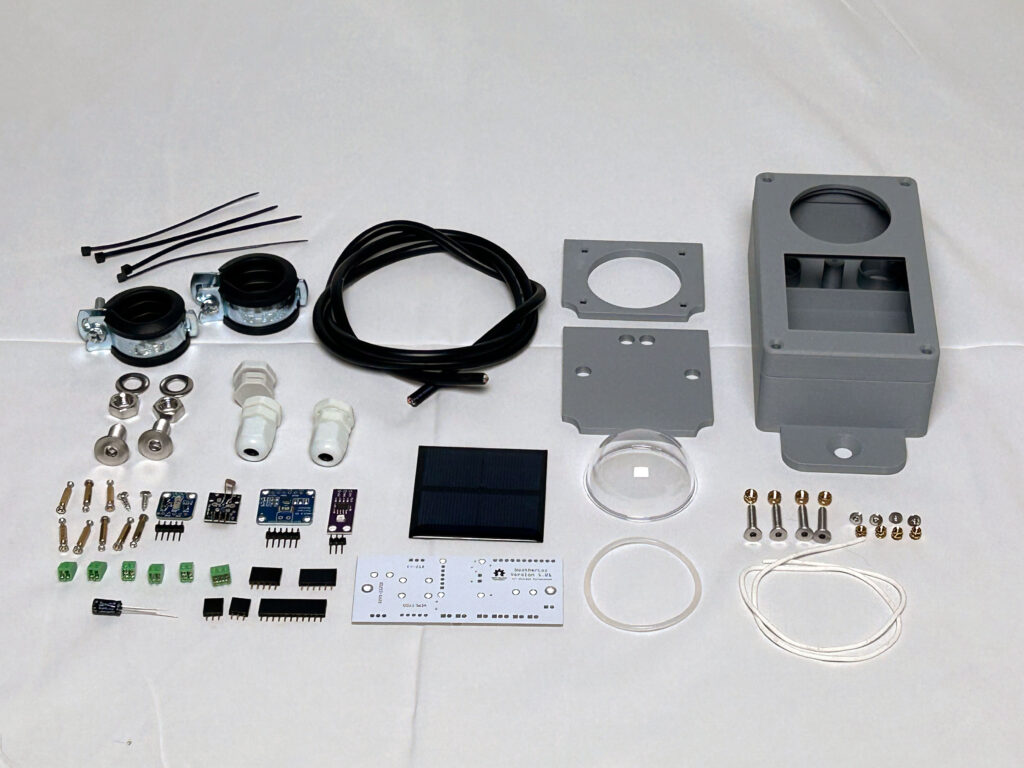
Assembly requires a 3D printed housing that was developed specifically for this sensor. This housing is of course included in the kit. It can also be printed yourself, but you must make sure to use a weather-resistant, UV-resistant filament. ASA is particularly well suited, but unfortunately it is difficult to print.
The 3D print files can be downloaded here: https://github.com/mschlenstedt/WeatherLox/tree/main/case/weatherlox-solar

Furthermore, a PCB is required that holds all sensor modules and establishes the connection to the Control Module. This is of course also included in the kit. It can also be manufactured by a suitable PCB service. A rebuild on a perfboard is of course also possible.
The files (Gerber files, Fritzing, schematic, etc.) can be downloaded here: https://github.com/mschlenstedt/WeatherLox/tree/main/PCB/weatherlox-solar

Required tools and consumables
The following tools and additional consumables are required to assemble the sensor:
- Soldering iron, solder, etc. with the smallest possible soldering tip
- Small needle-nose pliers
- Phillips screwdriver, small
- Slotted screwdriver, mini
- Allen key 5mm
- Open-end wrench M8
- Wire stripper
- Tweezers
- 2 mini spring clamps
- PCB protective lacquer (for weather resistance – important!)
- Sikaflex 522 grey sealant and adhesive, UV-stable and weather-resistant
PCB protective lacquer is available from electronics retailers or of course from Amazon/Ali Express and the like. Here are some examples:
- https://www.amazon.de/Isolierlack-Elektroniks-Transparent-Leiterplatten-Steuerplatinen/dp/B0G8GBC7WH
- https://www.amazon.de/Schutzbeschichtung-Schaltkreisdichtmittel-Komponentenisolierung-Feuchtigkeitsschutz-Platinenschutzlack/dp/B0G4JYSP42
- https://www.amazon.de/1DFAUL-Dichtungsmittel-feuchtigkeitsbest%C3%A4ndig-zuverl%C3%A4ssigen-elektronischer/dp/B0FH28QD3R
Assembly instructions
Mount the control unit first
This guide assumes that you already have a working control unit! So, if necessary, start with the control unit before assembling this sensor module.
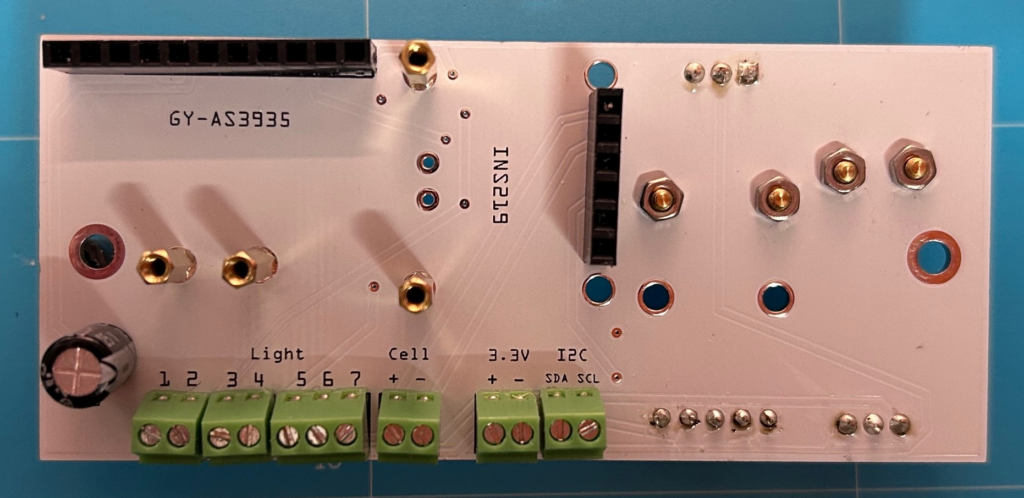
First, the PCB is assembled. This PCB is populated on both sides – so you have to pay attention to which component goes on which side of the PCB. To begin with, the 5 green 2-pin PCB terminals and the 3-pin PCB terminal are soldered onto the PCB. All terminals go on the back of the PCB! The 6-pin female header for the INA219 sensor is also soldered onto the back. If the lightning module is also to be installed, the 11-pin female header of the GY-AS3935 lightning sensor can now also be soldered onto the back. Finally, the 220 µF capacitor C1 is mounted on the back. Pay attention to the correct polarity here! The negative pole is marked on the capacitor – and is also always the short leg. The negative pole is also marked accordingly on the PCB. The capacitor is soldered just like the resistors by inserting the legs through the corresponding holes and then bending them apart on the back so that the capacitor stays on the PCB. Then it can be soldered without any problems.
For the INA219 sensor, two hex spacers (standoffs) are screwed on with the corresponding nuts. If the lightning module is also to be installed, you can also install the two hex spacers (standoffs) for the lightning sensor right away.
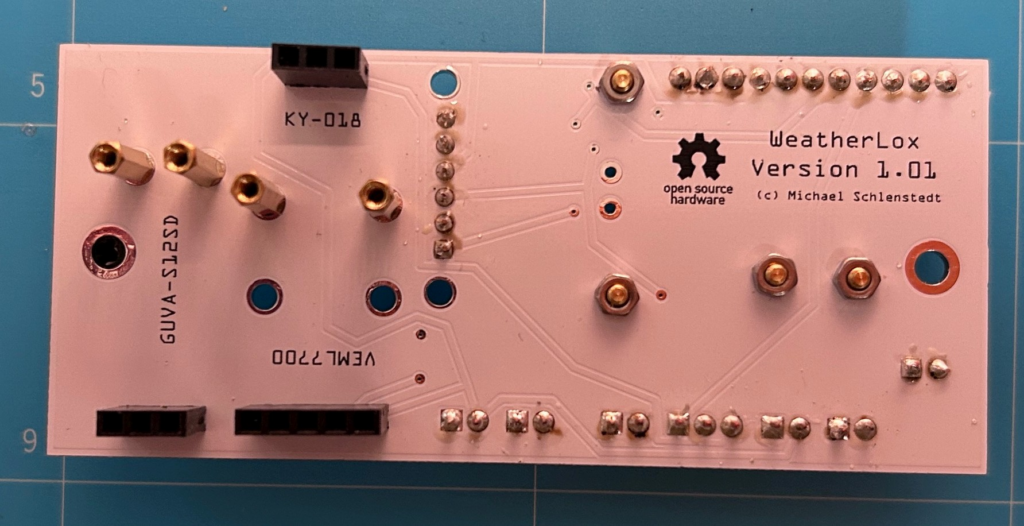
Now the front of the PCB is assembled. Two 3-pin female headers (for the KY-018 and the GUVA-S12SD sensor) and a 5-pin female header for the VEML7700 sensor go on the front. Here, too, 4 hex spacers (standoffs) are screwed on with the corresponding nuts for the sensors.
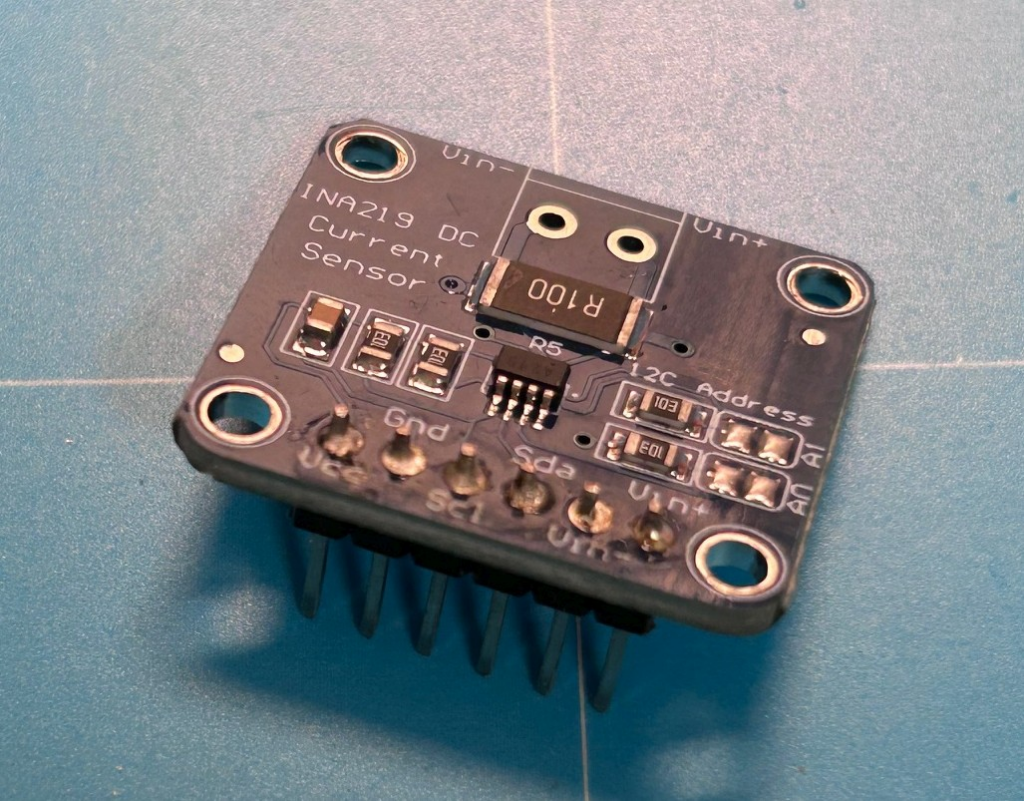
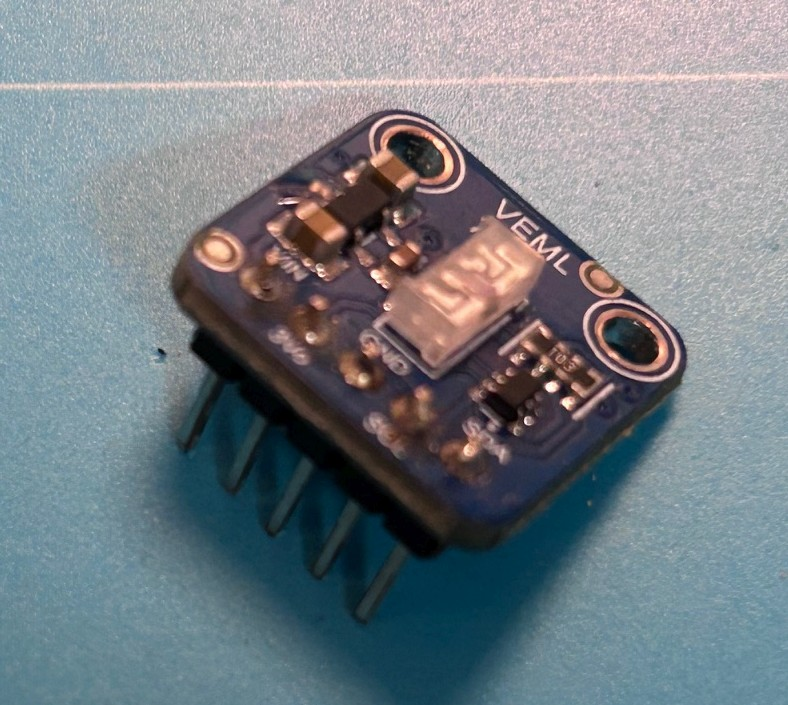
Now the male headers are soldered to the sensor modules INA219, GUVA-S12SD and VEML7700.
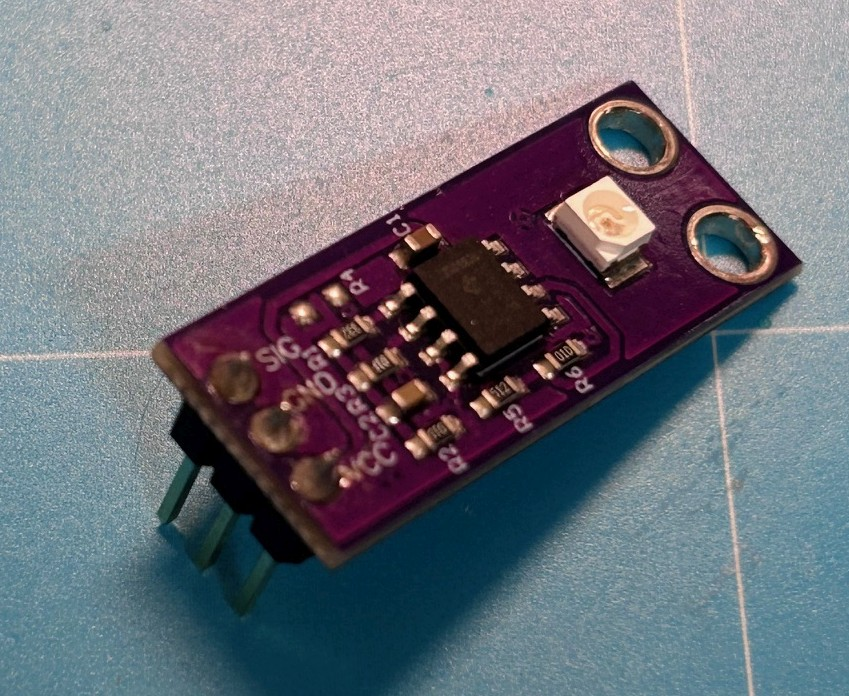
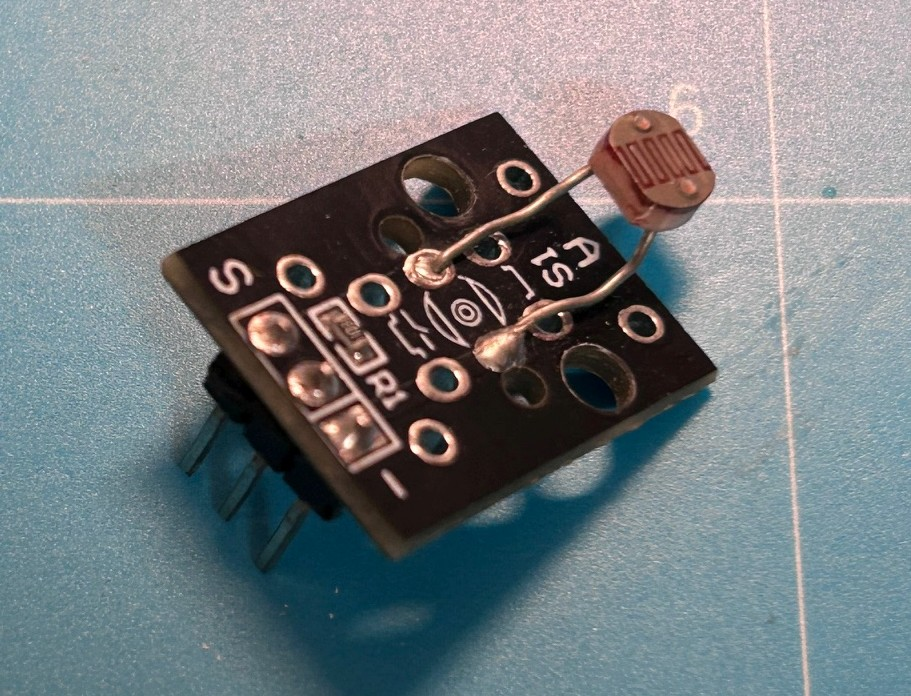
The KY-018 comes with a pre-installed male header, which unfortunately cannot be used as it is. It is therefore desoldered again: to do this, all 3 solder points are heated at the same time with the soldering iron and the header is then pulled out from the other side with pliers. Then a straight 3-pin male header is soldered in on the underside of the module. The light-sensitive sensor is carefully bent into shape with pliers so that it sits on the top of the PCB and points upwards.
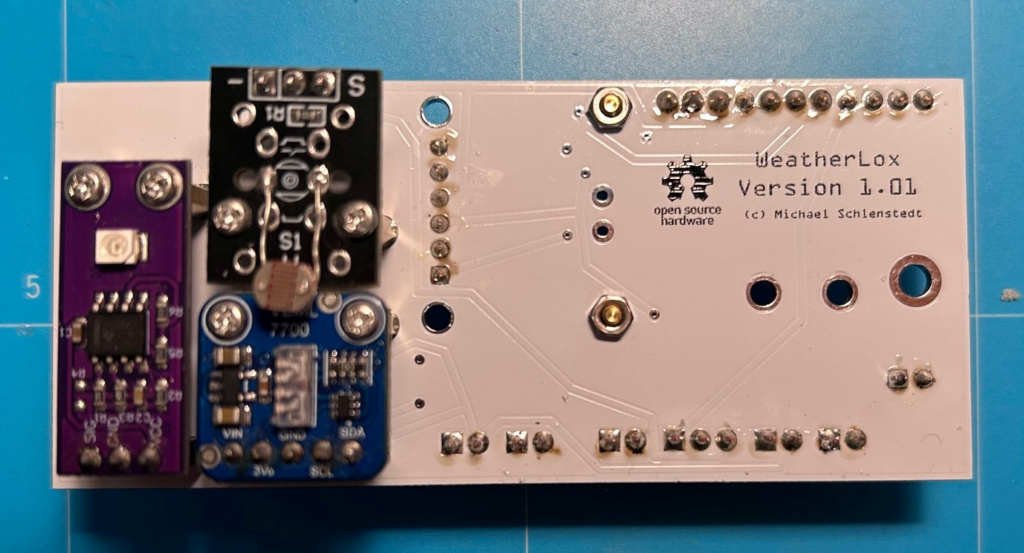
Now the soldering must be tested! This is very important, because the following steps (applying the protective lacquer) cannot be undone! To do this, the control unit is disconnected from the power supply. All sensors (INA219, KY-018, GUVA-S12SD and VEML7700) are placed in their respective female headers on the Solar Sensor PCB. If the lightning module is also to be installed, it can now also be placed on its socket. The fully populated PCB looks like this:
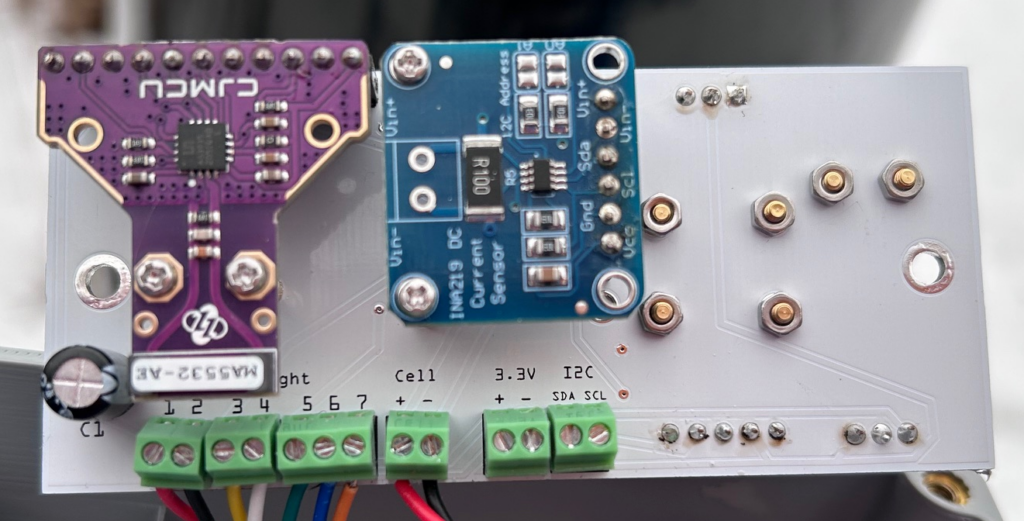
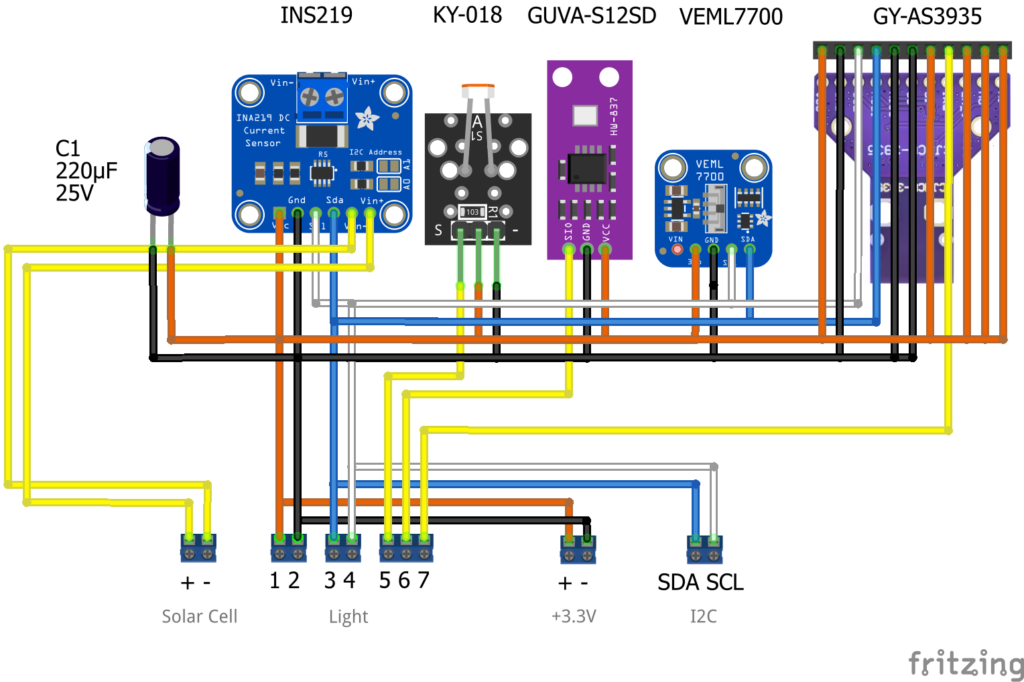
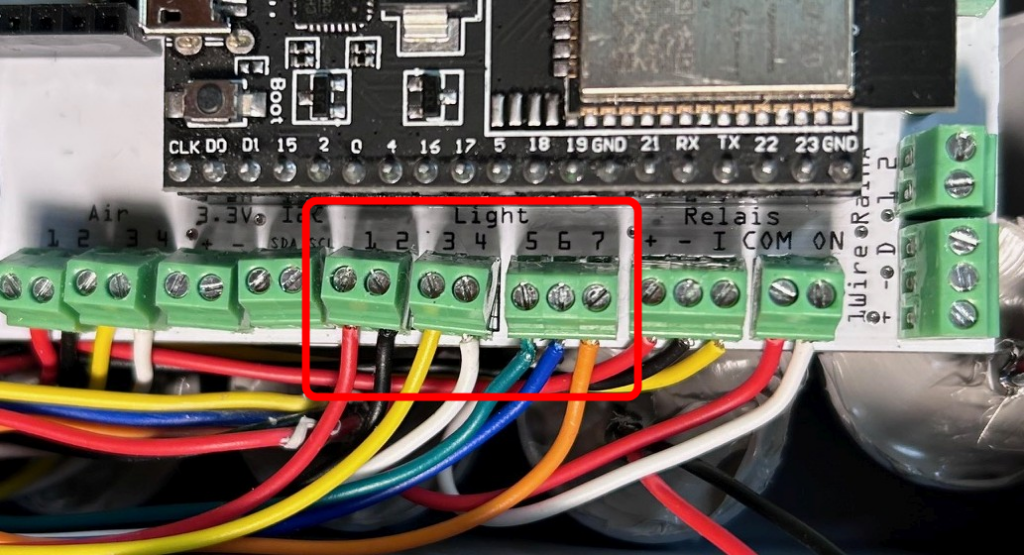
The Solar Sensor PCB is temporarily connected to the PCB of the control unit with the supplied cable or with jumper cables if available. The terminals labelled “Light 1” to “Light 7” on the Solar Sensor PCB are connected 1:1 to the terminals “Light 1” to “Light 7” on the PCB of the control unit. Note: The terminals labelled “3.3V” and “I2C” are for later extensions and do not have to be connected. The terminals labelled “Cell +/-” are also not connected yet. Now the control unit is supplied with power again. After booting, you can log in to the weather station’s interface with a web browser. Switch to the Devices tab and check under no. 10 whether a voltage is shown for raw_twilight and raw_uvi (by covering the sensors you can test whether the voltages change). Under no. 11, no. 12 and no. 9 (lightning sensor), the sensors must be activated (“Enabled”) and also show readings. Alternatively, you can scan the I2C bus for the sensors by checking under Tools –> I2C Scan whether a VEML7700 and an INA219 (and an AS3935 if applicable) are shown.
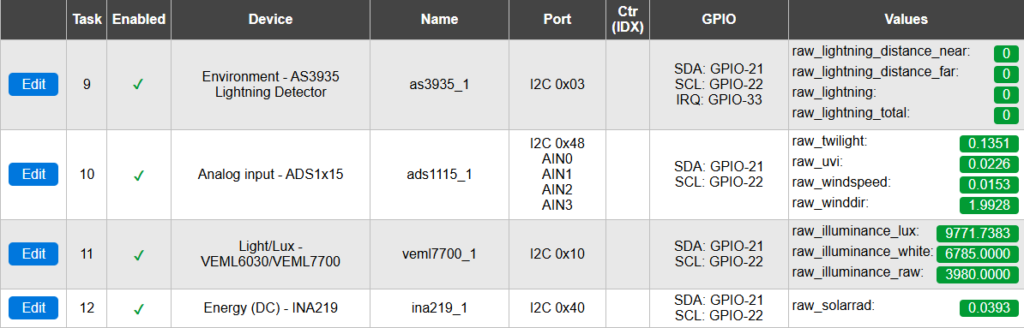
If everything is OK, the control unit is disconnected from the power supply again and the Solar Sensor PCB is disconnected again. The sensors are now also removed from their female headers once more.
Now the PCB protective lacquer is applied to all PCBs – i.e. the PCBs of the sensor modules and the PCB of the Solar Sensor Module. The PCBs are coated with the protective lacquer on both sides – but of course leave out all contact pins! The lacquer is very liquid and can be applied very well with a cotton swab by applying a drop and spreading it lightly. Repeat this process until the entire PCB is sufficiently covered with lacquer. But CAUTION! Under no circumstances may lacquer be applied to the actual sensor (see red outlines in the pictures below)! If you lacquer the light-sensitive parts of the sensors, they are broken! Once the lacquer has been applied, soldering is no longer possible!
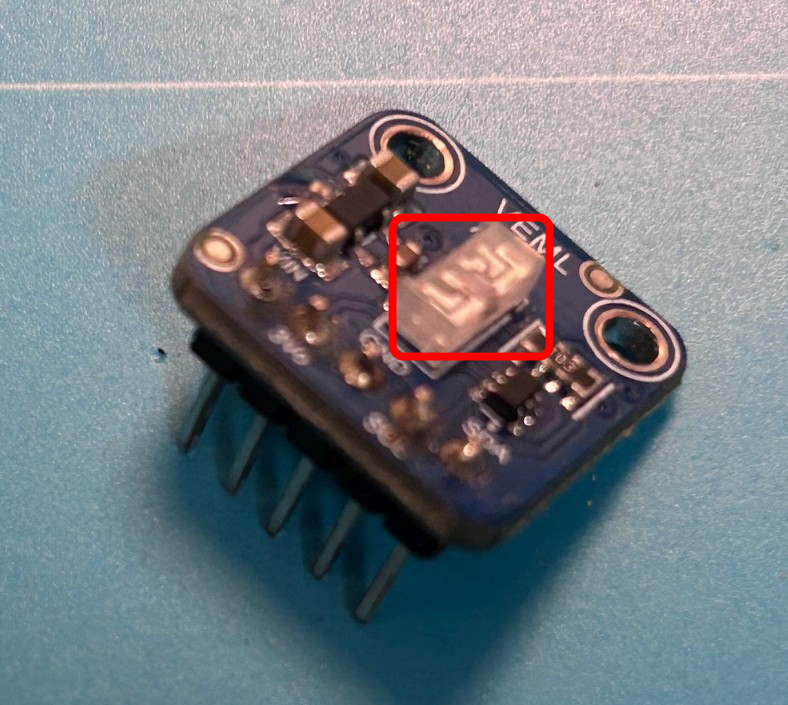
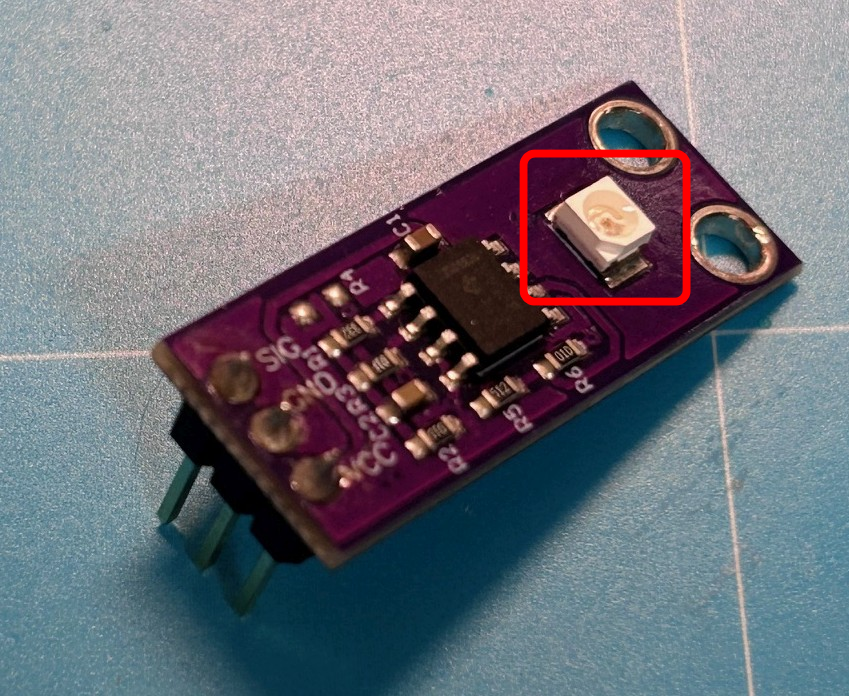
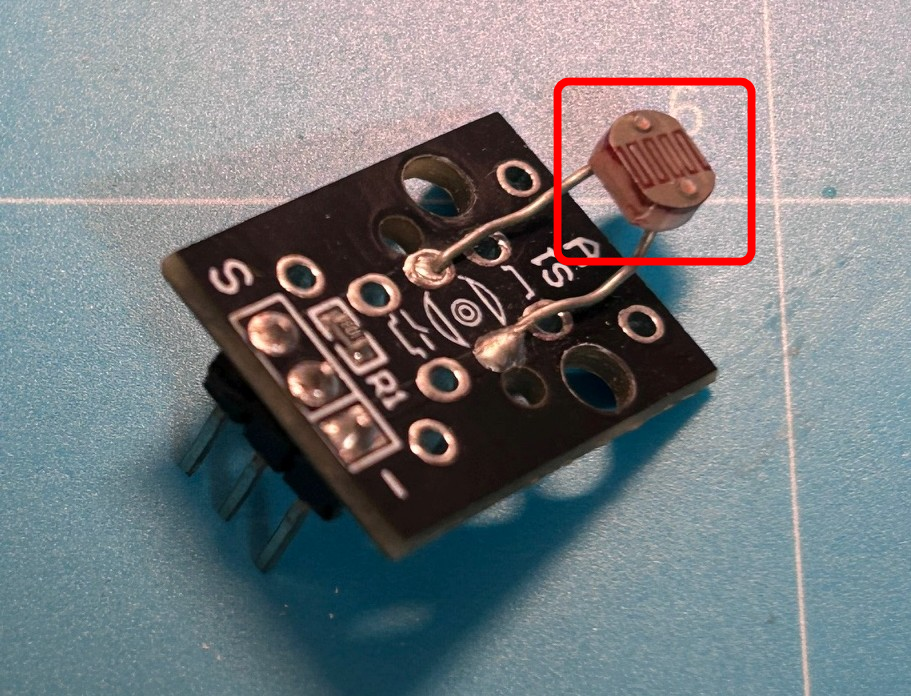
Once the lacquer has dried completely, all sensor modules can be placed back on the female headers and then securely fixed to the hex spacers (standoffs). This completes the assembly of the PCB.
Next, the solar cell for the radiation sensor is prepared. There are different designs in which the solder points can be located in different places. It is easiest to solder where there is already solder on the solar cell. This is often in the middle on the outside. To do this, take approx. 10-15cm of the 7-core cable, strip it and use the red (plus) and black (minus) wires. These are stripped at the ends and the ends are soldered to the solar cell. Make sure not to use too much solder, otherwise the holes in the housing adapter will not fit later (see further below).
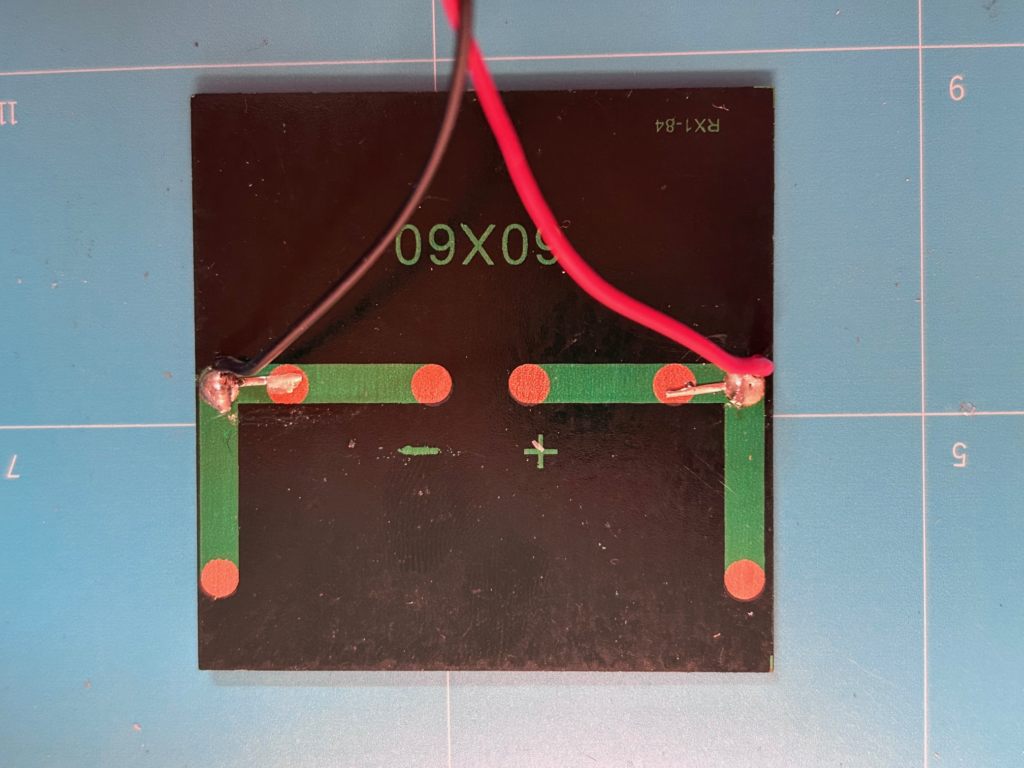
Now we continue with the assembly of the housing. The housing consists of 4 parts: bottom part, housing cover, adapter for the acrylic dome and adapter for the solar cell.
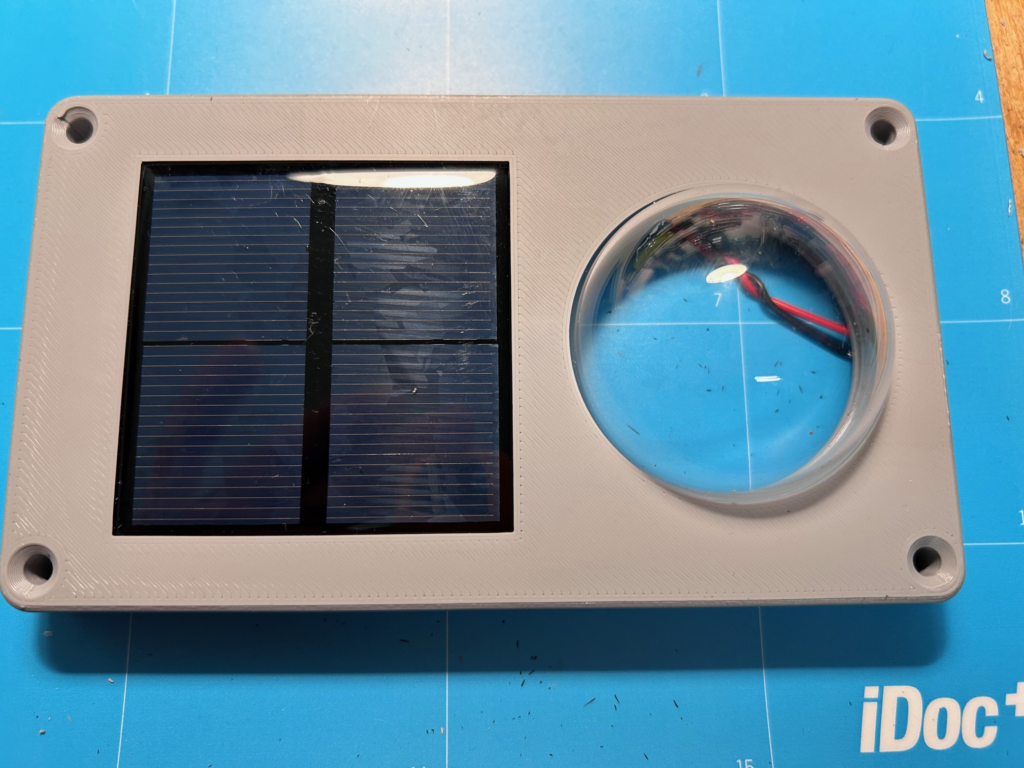
First, the solar cell is mounted in the housing cover. It has to be glued into the housing. First, test “dry” whether the solar cell with the solder points just created fits into the housing and whether the recesses for the solder points in the adapter fit as well. To do this, the cell is placed in the housing cover and then the adapter plate is pushed in. The adapter plate is levered into a corresponding groove in the housing cover and then pressed down on the opposite side (the side with the dome). Everything should be easy to assemble without force. If the solder points do not fit into the adapter plate, make them smaller accordingly or carefully widen the recesses in the adapter plate a little with a wood drill. The adapter plate must lie absolutely flat on the solar cell.
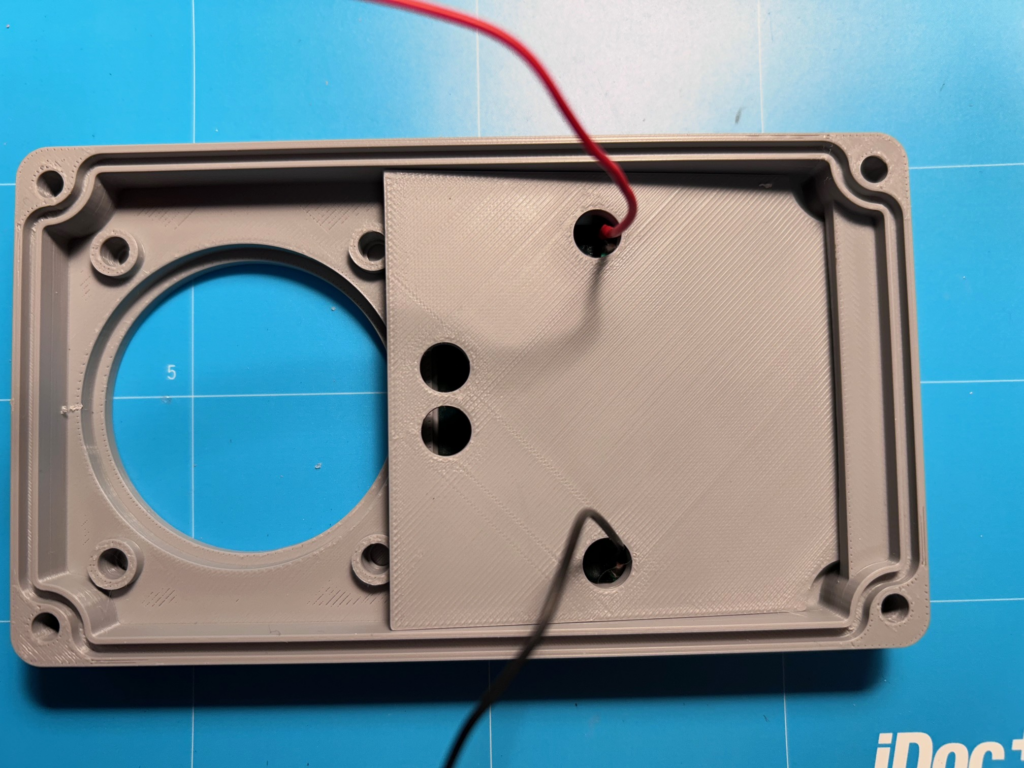
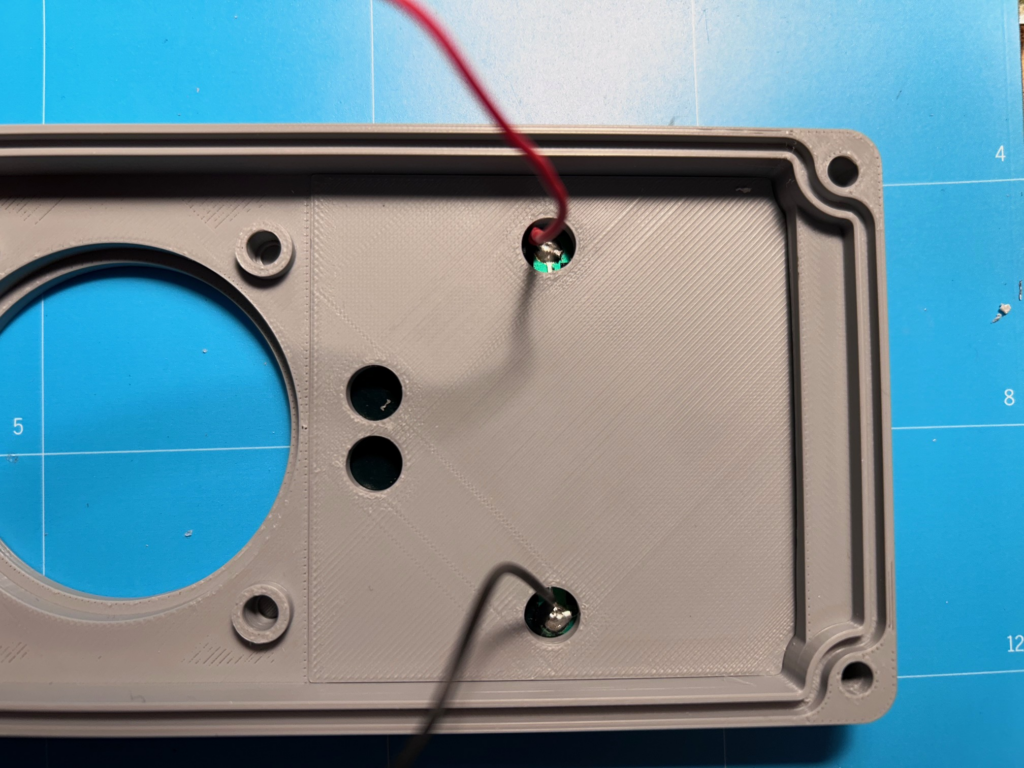
If everything fits together, the adapter plate is removed again. The solar cell is now glued into the housing. To do this, insert it and clamp it firmly in position with two mini spring clamps. Use a small piece of wood, a ruler or whatever you have at hand as a counterpart from below.
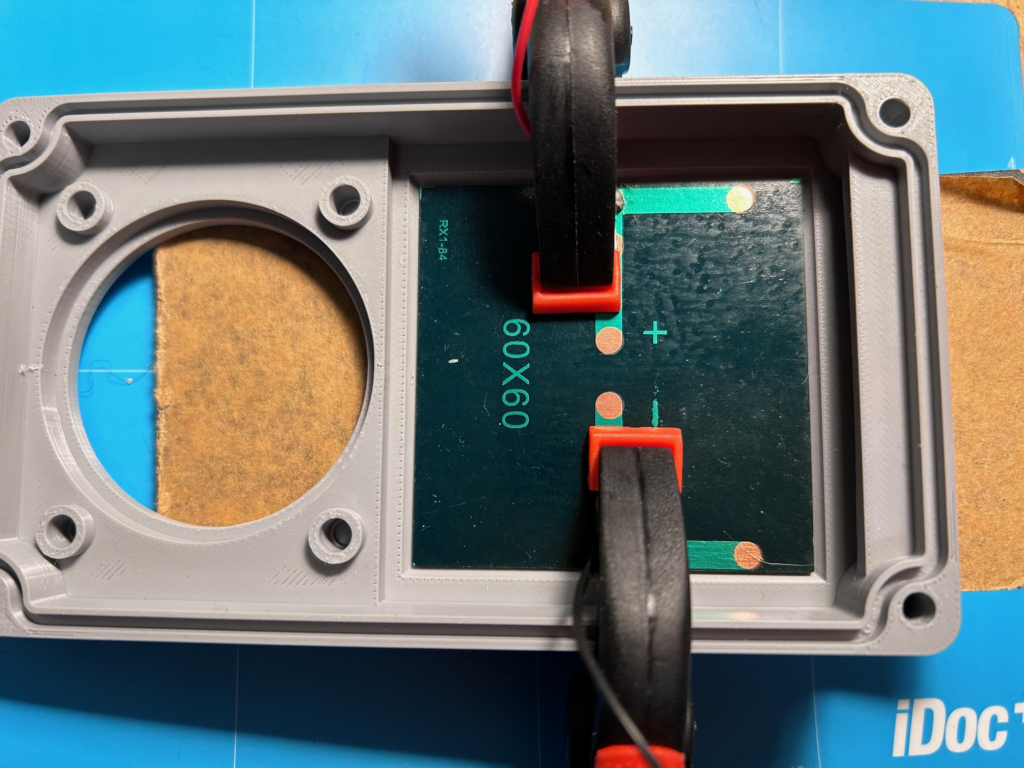
The transition between the solar cell and the housing is now sealed very carefully (!) with Sikaflex 522 sealant and adhesive. Make sure that the entire transition between the solar cell and the housing is sealed with sealant (also under the clamps – possibly in a second step). If you don’t work cleanly here, the housing will leak later!
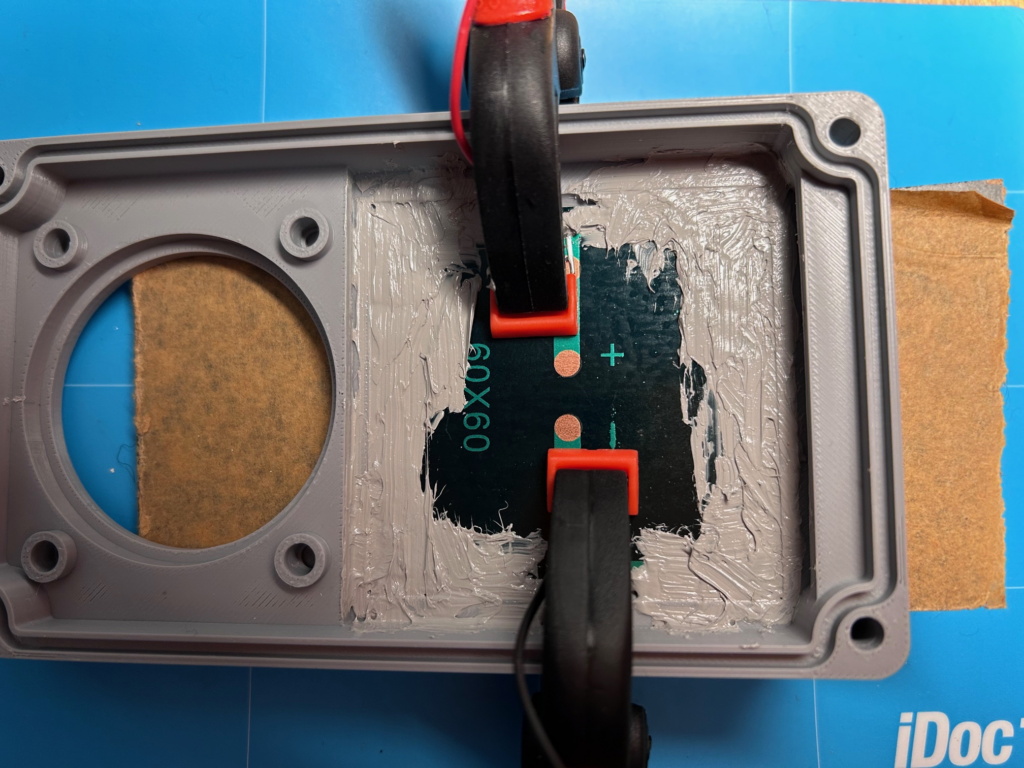
Once the adhesive has dried (1 day), carefully remove the two clamps. Never press on the solar cell from below! Otherwise there is a risk that the sealant/adhesive will tear and leak! Now spread plenty of adhesive as a bead over the entire back of the solar cell – running the bead of adhesive both around the edge of the solar cell and over the full surface in the middle.
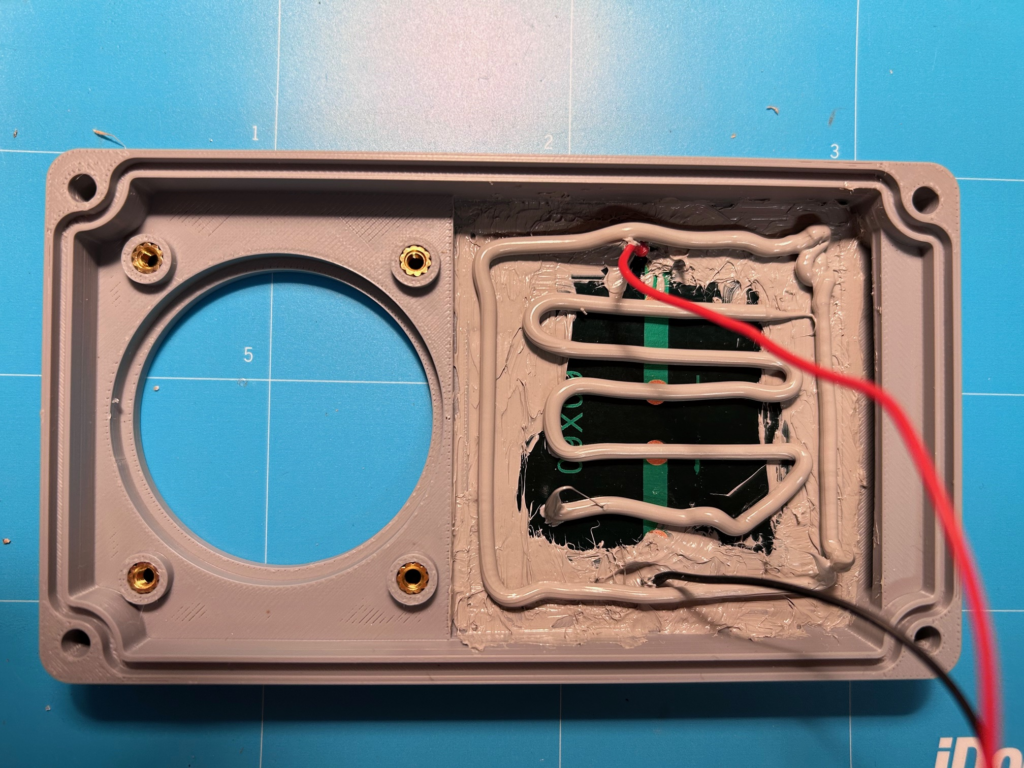
Now the adapter plate is pushed into the groove on the right and then pressed down. The adhesive spreads completely underneath the adapter plate. If some adhesive oozes out between the housing and the adapter plate, it is simply removed.
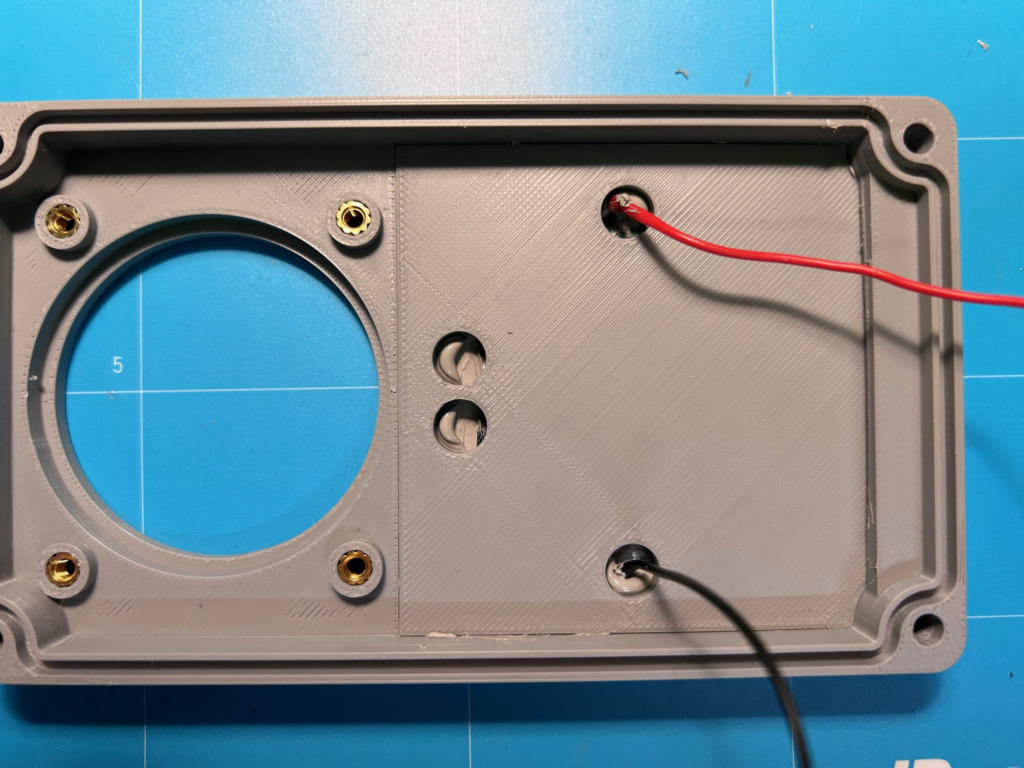
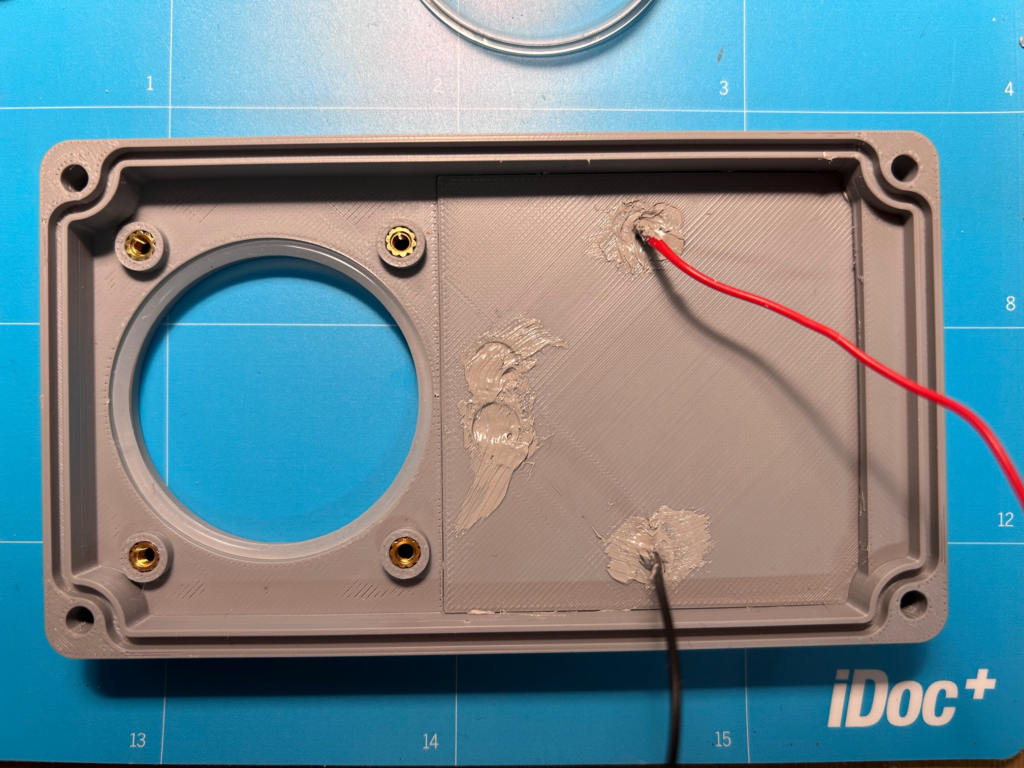
Now the holes are also closed with adhesive and then the adhesive is allowed to dry completely (1 day). Still do NOT press on the solar cell from below! The adapter plate is not yet fully secured and there is still a risk of pushing the solar cell and adapter plate out of the housing!
Next, the four M3 brass press-in nuts / threaded inserts (these are the smaller ones from the kit) are melted into the housing cover. This is done with the soldering iron. To do this, preheat the soldering iron to maximum temperature. Now screw one of the M3 screws lightly into the threaded insert and use it to place the insert straight onto the prepared hole in the housing cover. One of the serrated edges of the brass insert should be at the top. Once the press-in nut sits straight, remove the screw again. Now carefully press the tip of the soldering iron into the threaded insert. It heats up immediately and melts the surrounding plastic. With slight pressure you can now press the sleeve into the material; the sleeve is pressed approx. 0.5 mm below the upper edge of the housing. Repeat this for all 4 threaded inserts.
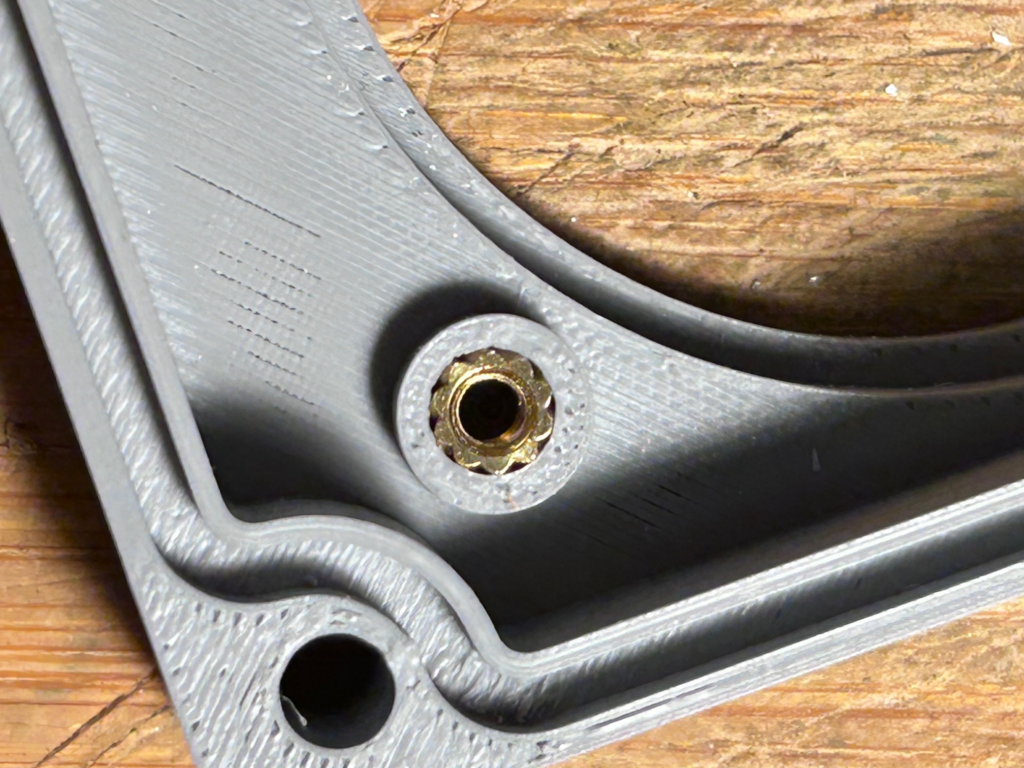
The bulge created when melting in the sleeve must now be cut off carefully (!) with a sharp cutter knife so that the surface is flat again. Next, the white O-ring is inserted into the recess for the acrylic dome (if you have some, you can apply a little silicone grease):
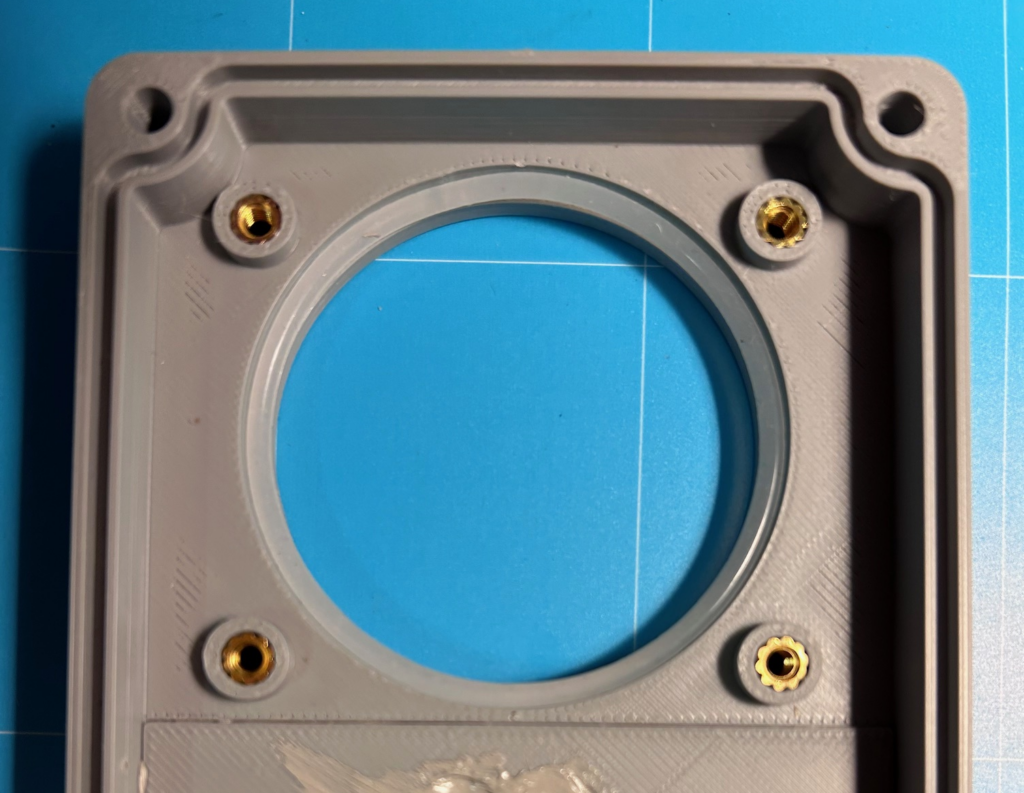
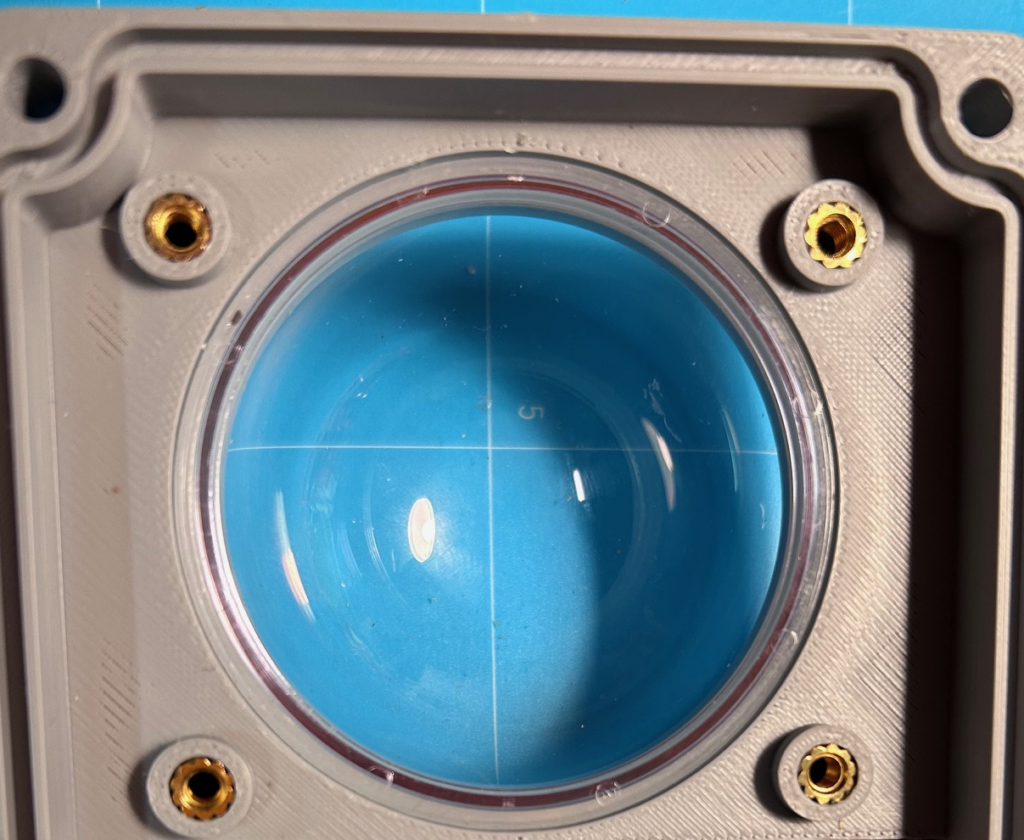
Then the acrylic dome is pressed into the housing cover from below (without force!), the adapter plate for the dome is inserted and screwed to the housing cover with the 4 supplied M3x5mm countersunk screws. The screwed-on adapter plate for the dome seals the dome against the housing and also secures the adapter plate of the solar cell against being accidentally pushed out.
Now place the 2mm silicone sealing cord into the corresponding groove of the upper housing part. Make sure that the very stretchy cord is under no circumstances inserted under tension. It would contract again later and the sealing function would no longer be given. Especially in the corners there is a tendency to pull the cord in under tension! The cord is cut off with an overlap of approx. 2-3 mm. Then it is compressed a little and inserted under slight pressure. If it jumps out of the groove, try to press it back in. If that doesn’t work either, you have to cut off a little more of the cord and try again.
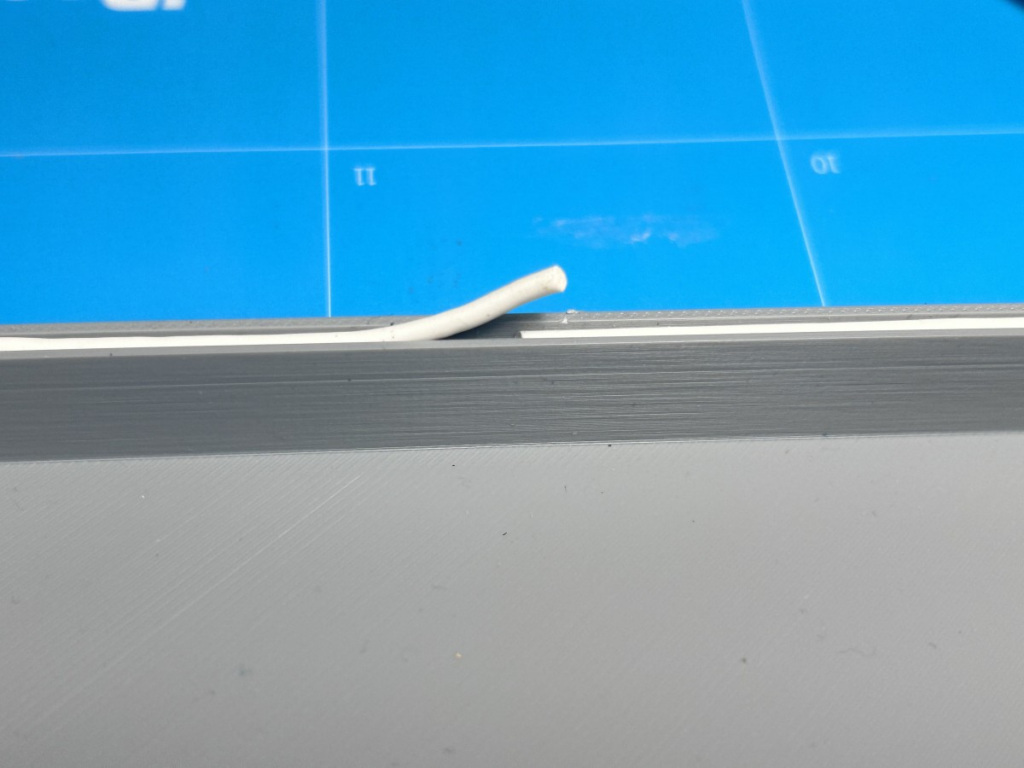
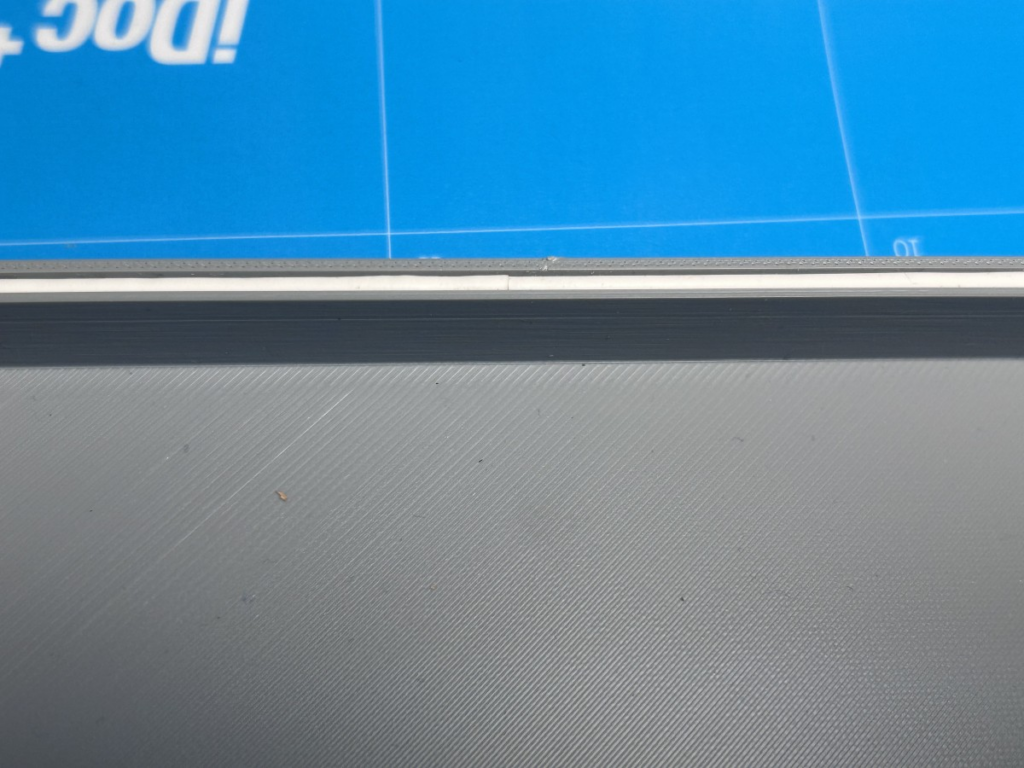
Next, the four M4 brass press-in nuts / threaded inserts are melted into the lower housing part. This is done with the soldering iron. To do this, preheat the soldering iron to maximum temperature. Now screw one of the M4 screws lightly into the threaded insert and use it to place the insert straight onto the prepared hole in the lower housing part. One of the serrated edges of the brass insert should be at the top. Once the press-in nut sits straight, remove the screw again. Now carefully press the tip of the soldering iron into the threaded insert. It heats up immediately and melts the surrounding plastic. With slight pressure you can now press the sleeve into the material; the sleeve is pressed approx. 1 mm below the upper edge of the housing. Repeat this for all 4 threaded inserts.
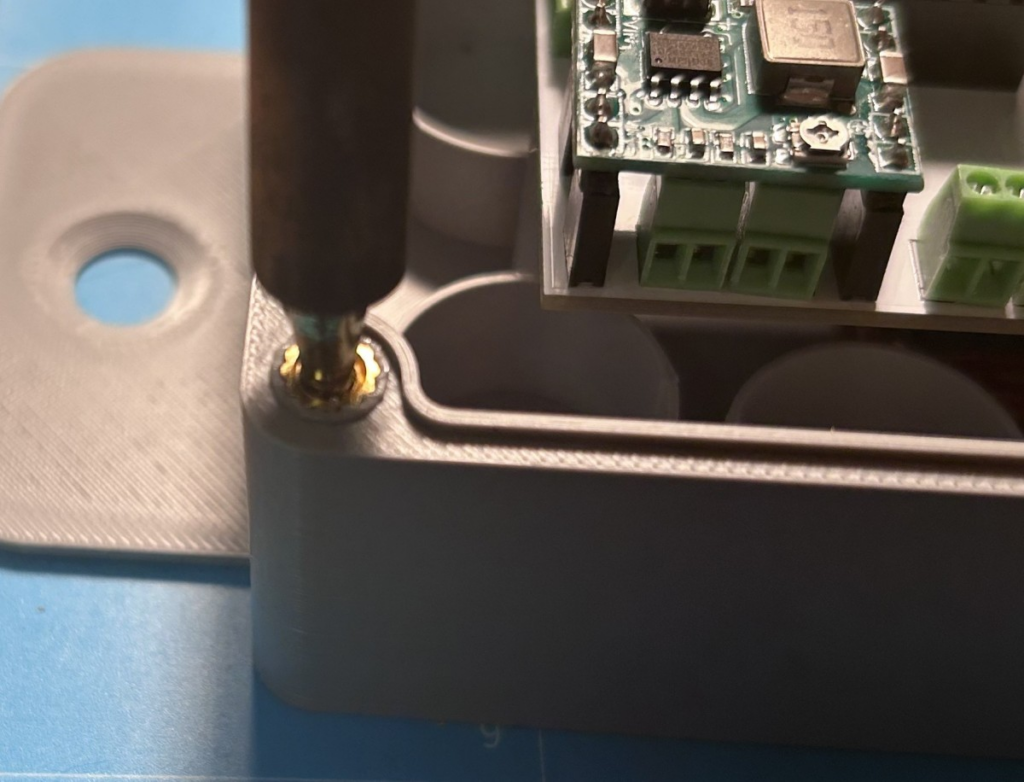
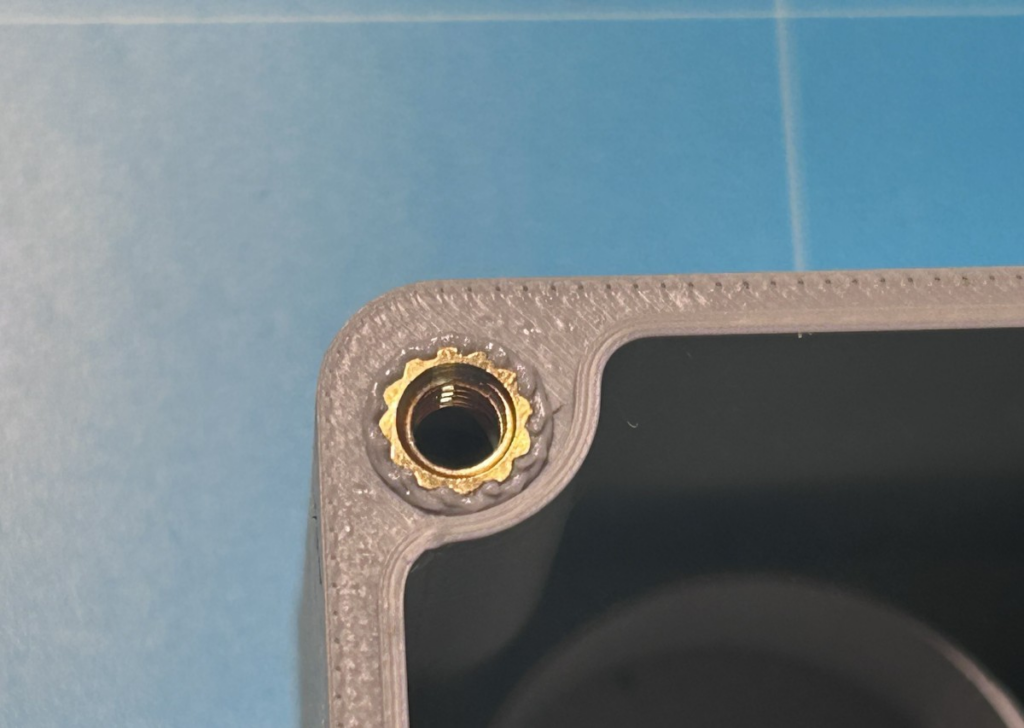
The bulge created when melting in the sleeve must now be cut off carefully (!) with a sharp cutter knife so that the surface is flat again. Make absolutely sure not to damage the circumferential tongue (for the groove in the housing cover)! You have to work cleanly here, otherwise the housing will not be watertight later.
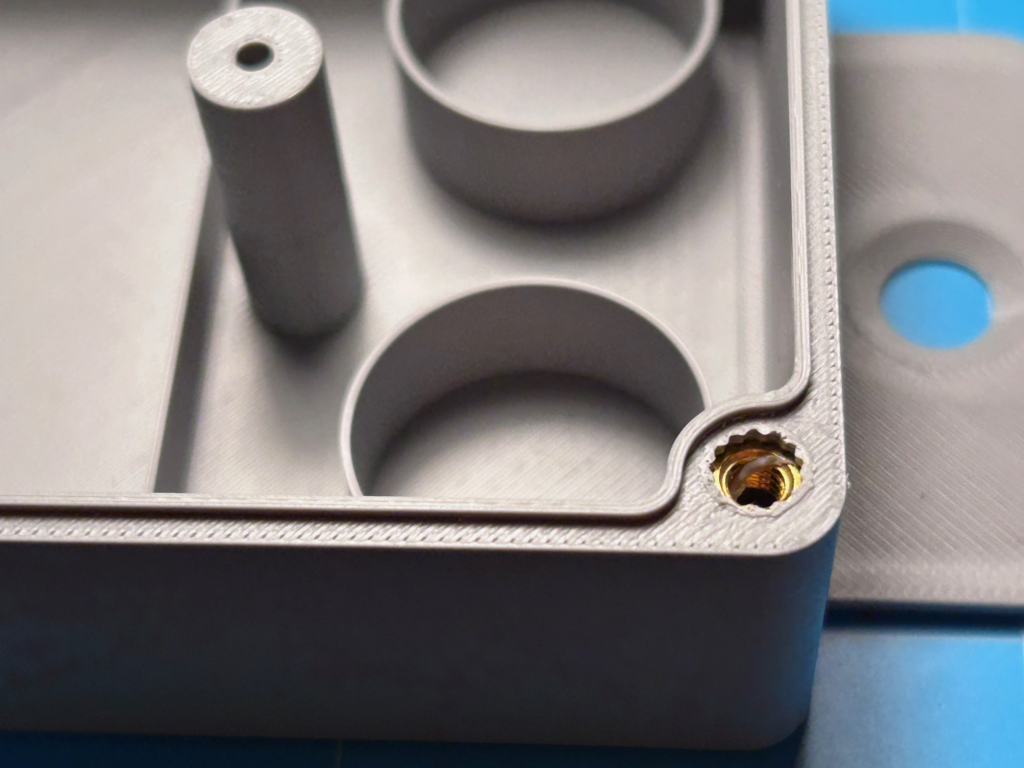
Now the cable gland and the vent valve are screwed hand-tight into the holes on the bottom of the housing. The cable is now stripped for 10 cm and then inserted into the housing through the cable gland. It is pushed through until the cable sheath protrudes approx. 2 mm above the potting ring.
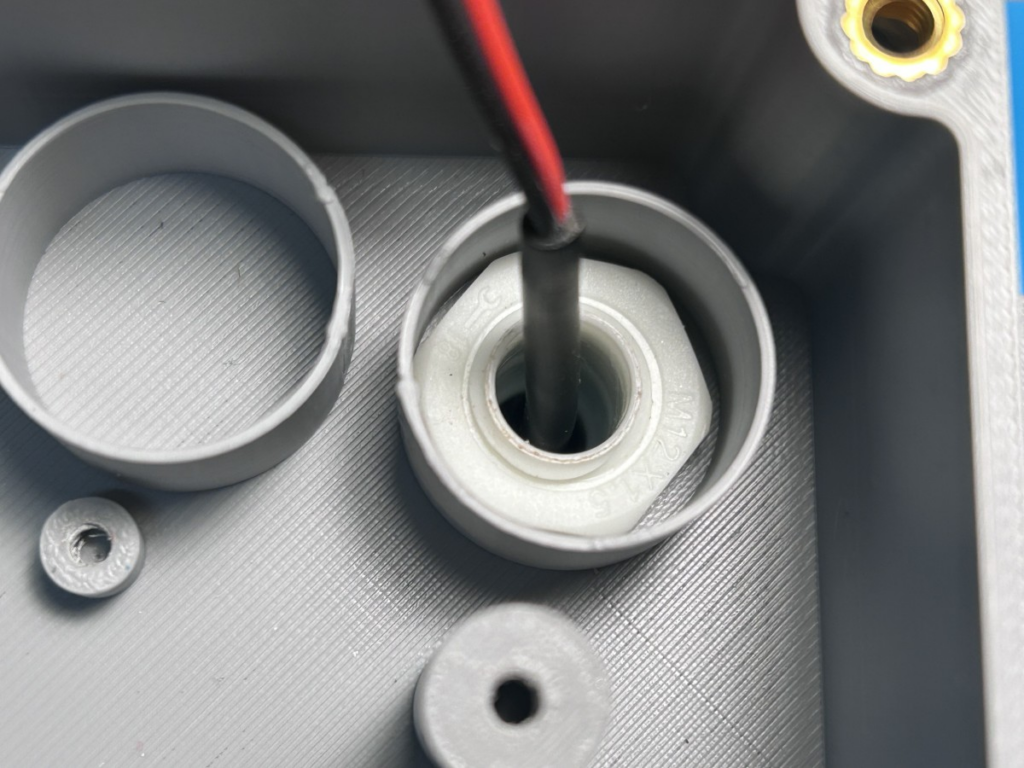
Now the cable gland is fixed and then filled with the Sikaflex 522 grey sealant and adhesive. You can use the caulking gun directly for this. First fill the actual cable gland with sealant, bending the cable slightly from left to right so that the entire cable gland is filled with sealant. Then the potting ring is completely filled with sealant and smoothed out with the spatula.
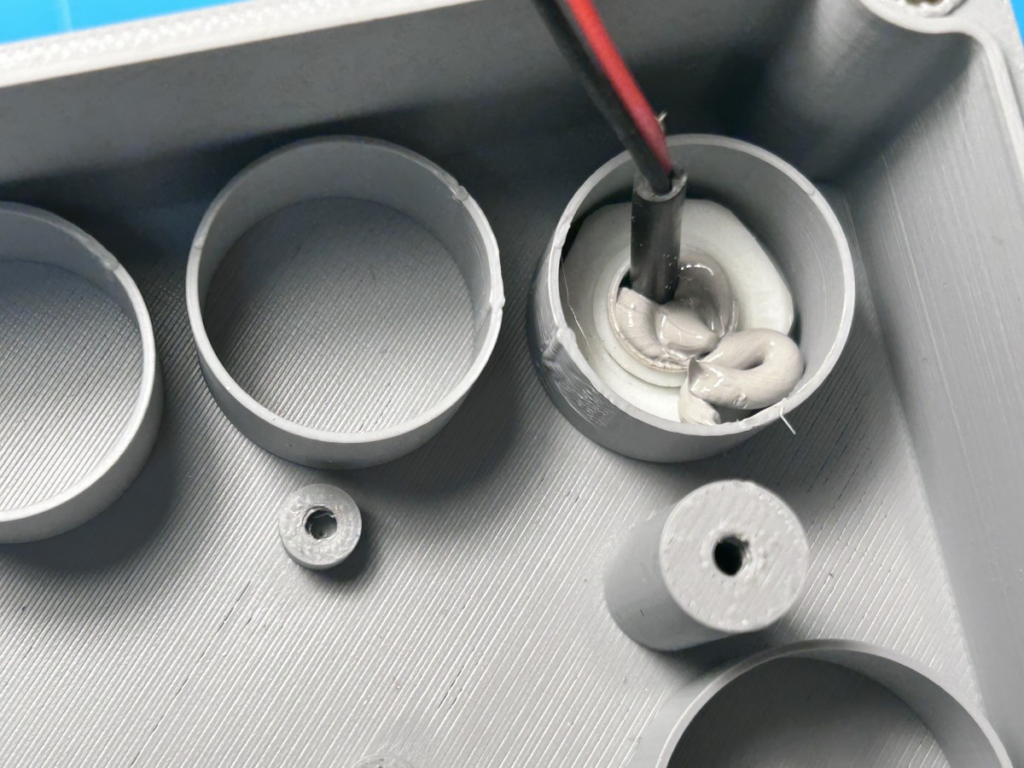
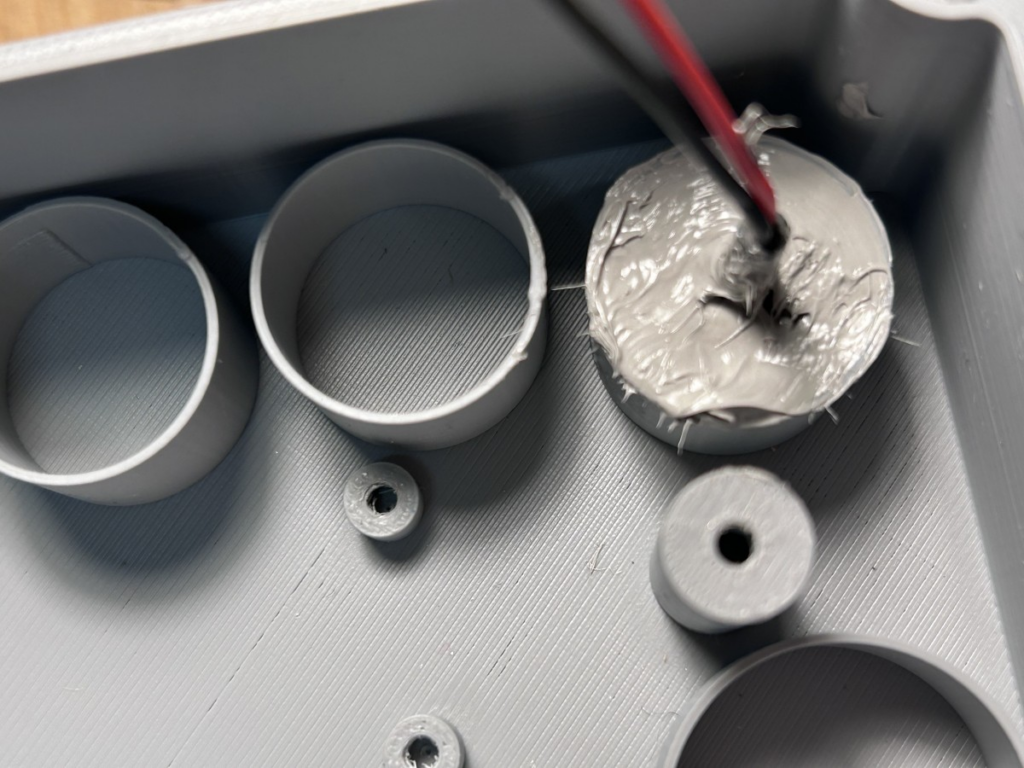
The hole of the vent valve is now also sealed with Sikaflex 522 grey sealant and adhesive, but of course leaving the middle free so that the valve can breathe. Again, the adhesive is allowed to dry for 1 day.
Before the PCB is screwed into the housing, the cables are now connected on the underside of the PCB. First, the solar cell is connected to the terminals labelled “Cell”:
- Cell + : red
- Cell – : black
The 7-core cable to the control unit is connected to the terminals labelled Light 1 to Light 7:
- Light 1: red
- Light 2: black
- Light 3: yellow
- Light 4: white
- Light 5: green
- Light 6: blue
- Light 7: orange

On the control unit side, the cable is also connected 1:1 to the terminals Light 1 to Light 7.
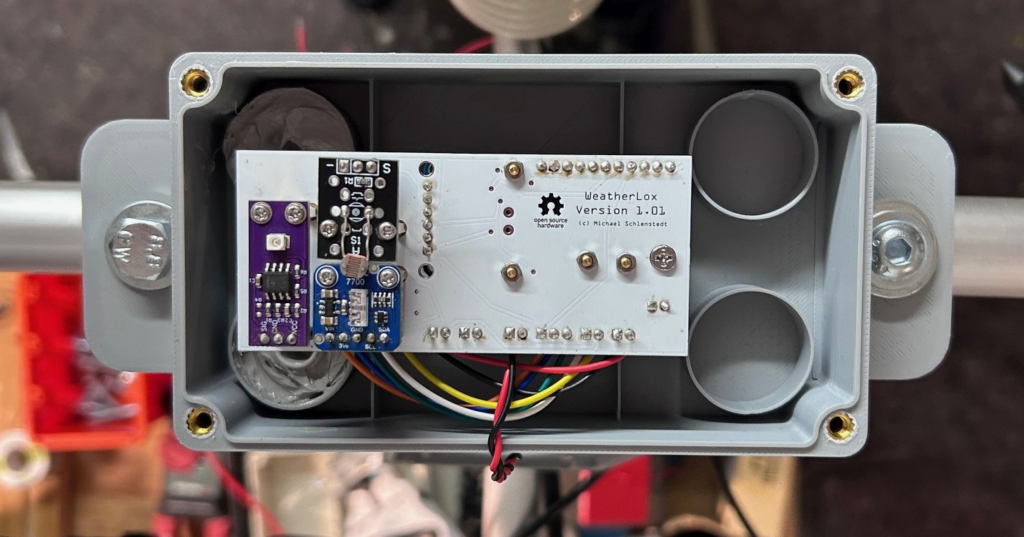
Now the PCB can be mounted in the housing with the two M3x10mm screws. The PCB is mounted so that the light sensors on the top sit directly under the dome. When the housing is closed, they protrude a few millimetres into the dome.
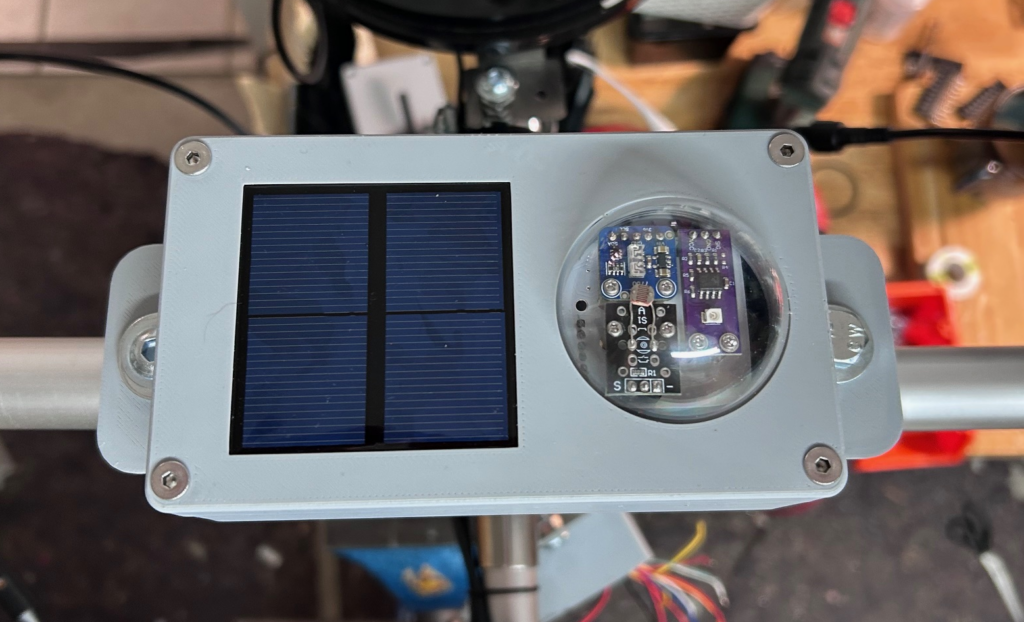
Then the cover is placed on the housing and screwed tight crosswise with the M4x20mm screws. Make sure that neither the silicone cord seal has slipped nor that cables are accidentally pinched.
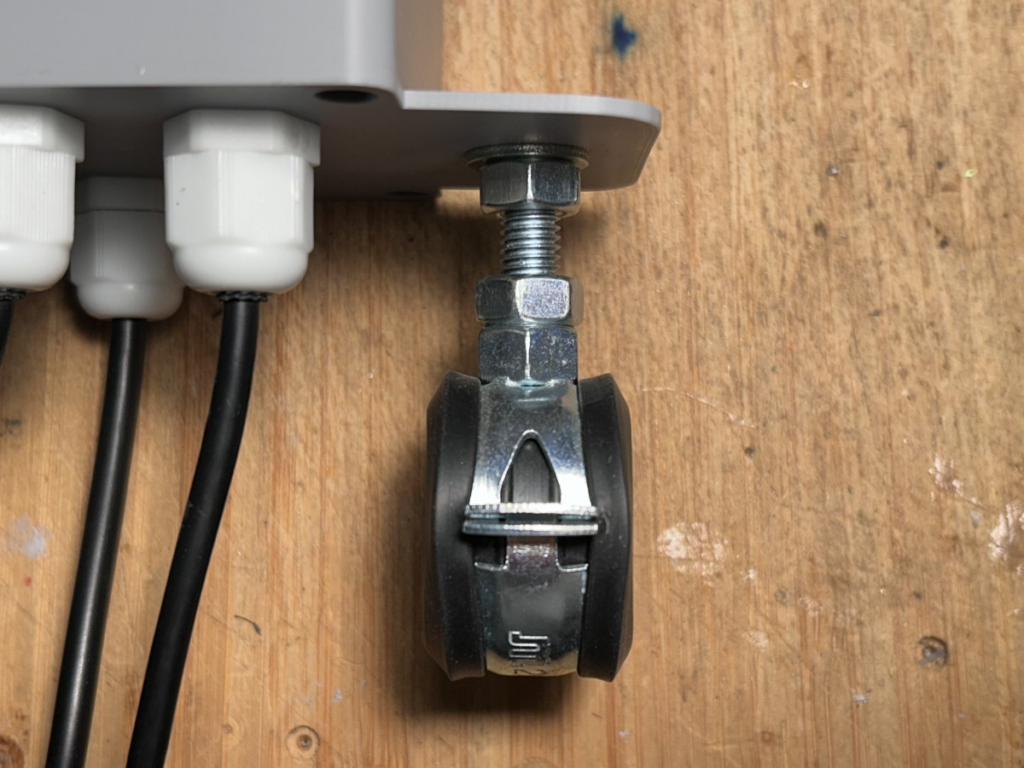
The housing is now mounted on the mounting system with the pipe clamps. To do this, insert the two M8x20mm countersunk screws from above into the side brackets. From below, follow with a washer and an M8 nut, with which the screw is first tightened hand-tight. Then screw the pipe clamp firmly onto the screw from below. Now turn the screw until the right position is reached and then tighten the nut firmly.
The housing is placed on the upper cross strut of the mounting system between the wind direction and wind speed sensors.
Done!